
2,000+ NDIS businesses have saved hundreds of hours each week with Astalty.









Use this link to connect Claude, ChatGPT or another AI assistant to Astalty.
$https://api.app.astalty.com.au/mcp In Claude, add a custom connector under Settings, Connectors and paste this link.
Your AI assistant, working with your real Astalty data
MCP stands for Model Context Protocol. It's the open standard AI tools use to connect to business software. Once Astalty is connected, your AI assistant can read your live records and, if you allow it, create and update them for you.
Let's show you how
Astalty, Alongside Everything Else Your AI Does
Your AI assistant already helps with emails, documents and planning. Now it can use your real Astalty data while it does.
Combine Astalty With Email and Calendar
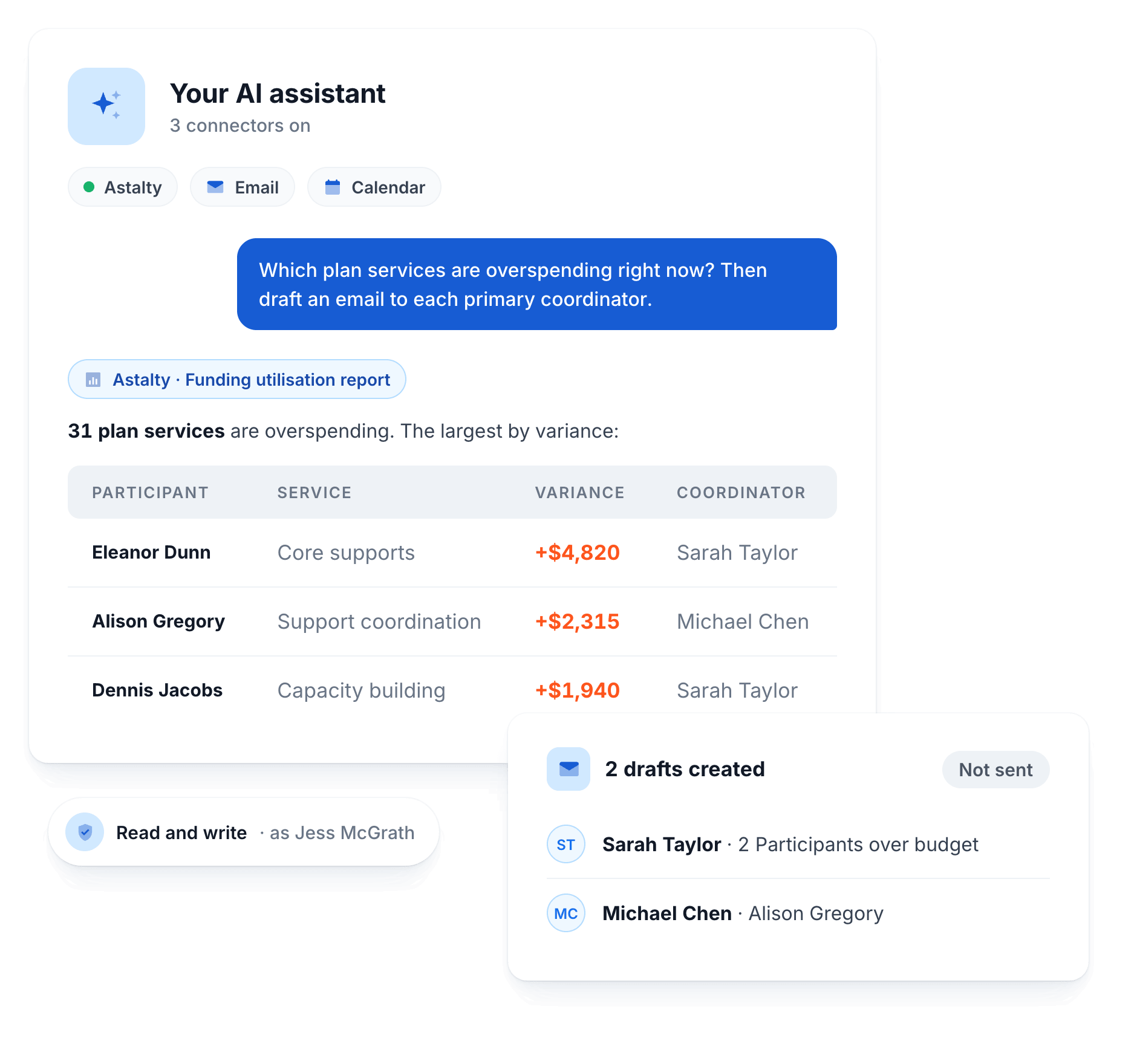
Find the plans that are overspending, then have the emails to their coordinators drafted in the same conversation.
Turn Live Data Into Documents
Board summaries, funding reviews and team updates written from what is in Astalty right now.
Book and Change Supports by Asking
Tell it who, when and which worker, and it creates or updates the support.
Schedule Your Own Routines
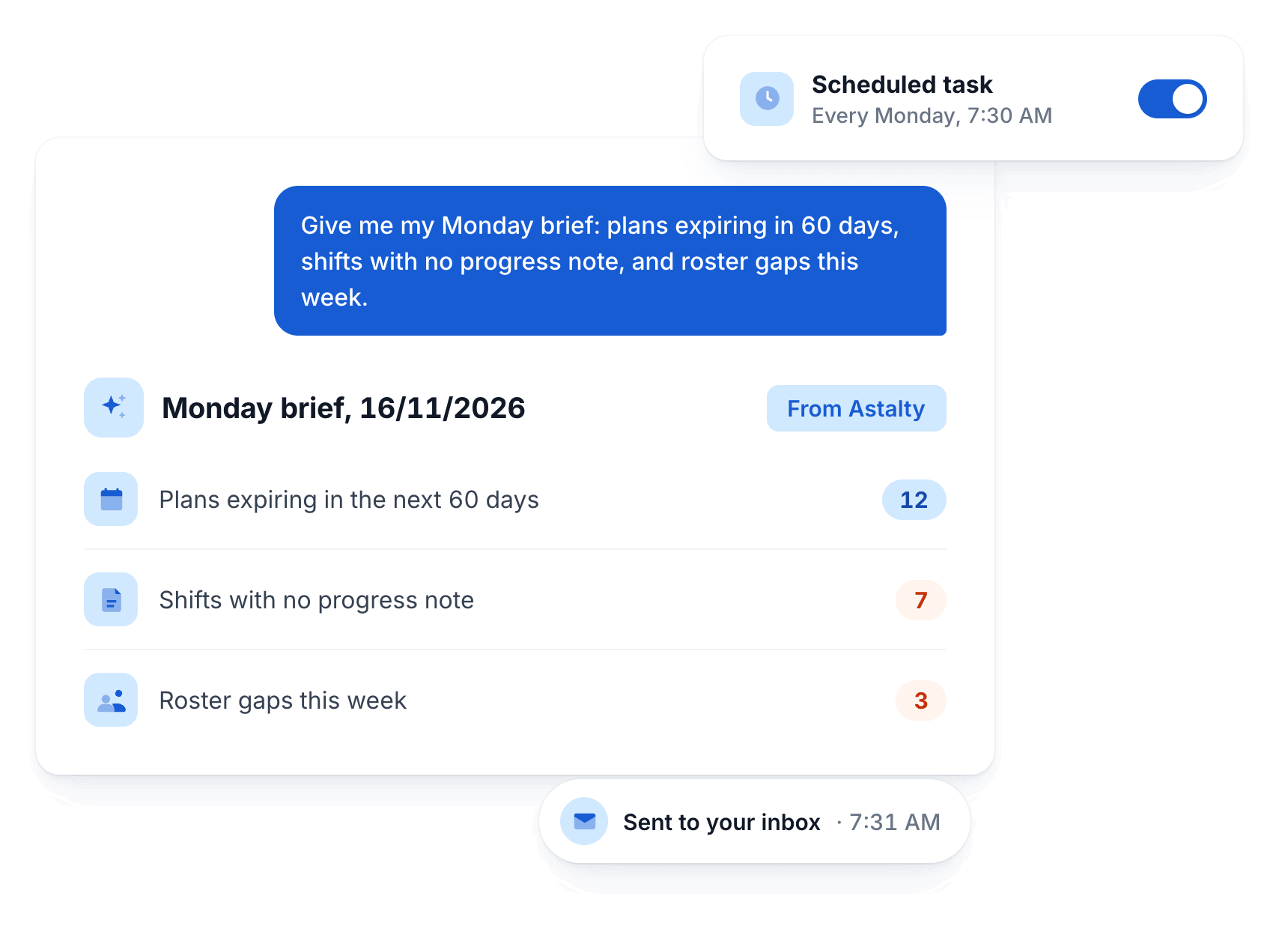
Set up a Monday brief or an end of month check as a scheduled task in your AI tool.
Works With the AI You Already Pay For
No new app to learn. Astalty shows up inside the assistant your team already uses.
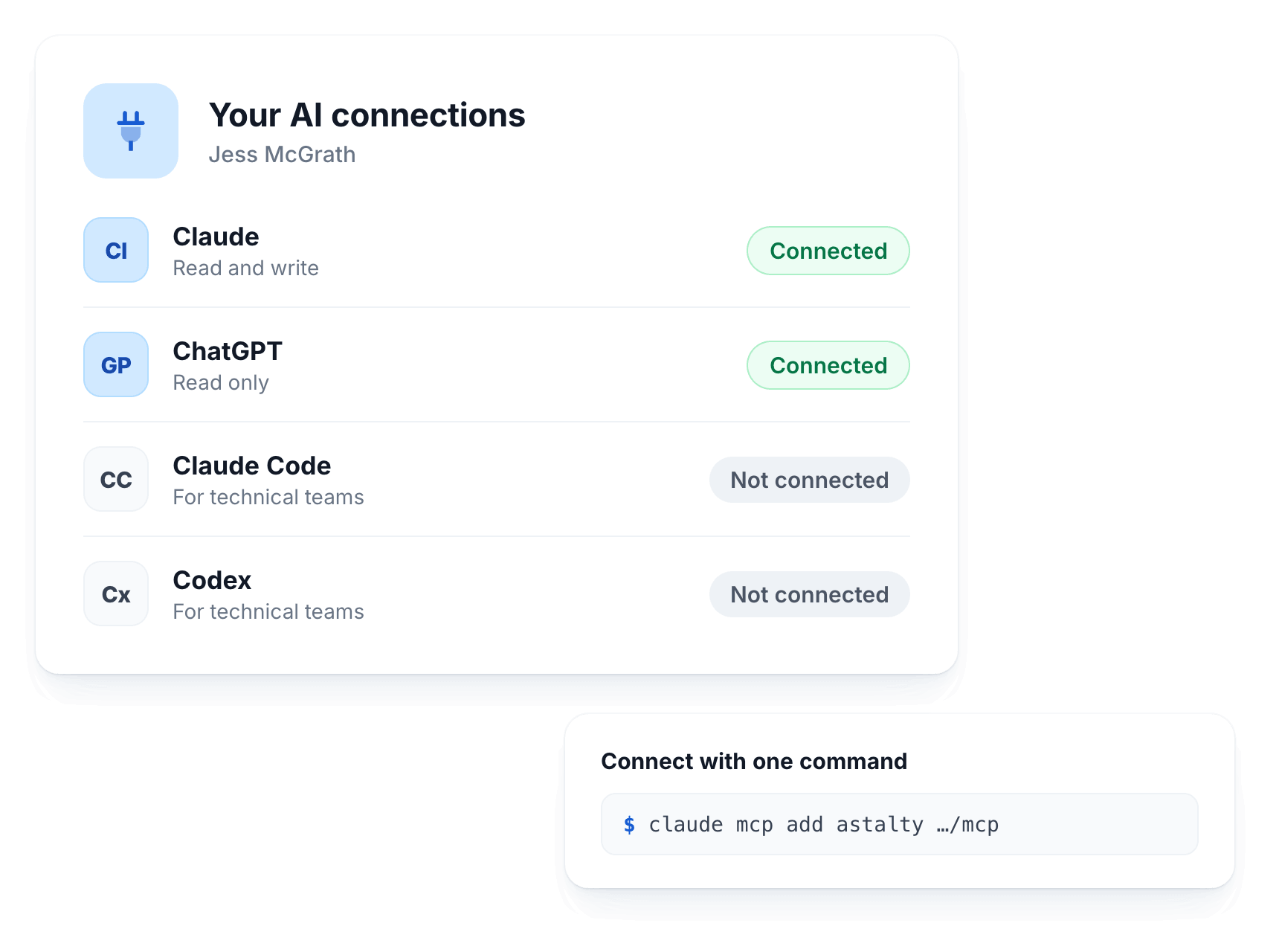
Claude
Add Astalty as a custom connector. On Team and Enterprise plans an owner adds it once, then each person connects.
ChatGPT
Add Astalty as a custom MCP server in the app or on the web, if your plan or workspace allows it.
Claude Code
For technical teams. Connect with one terminal command.
Codex
For technical teams. Connect with one terminal command.
Connected in Three Steps
No developer needed. The steps for each AI tool are shown inside Astalty.
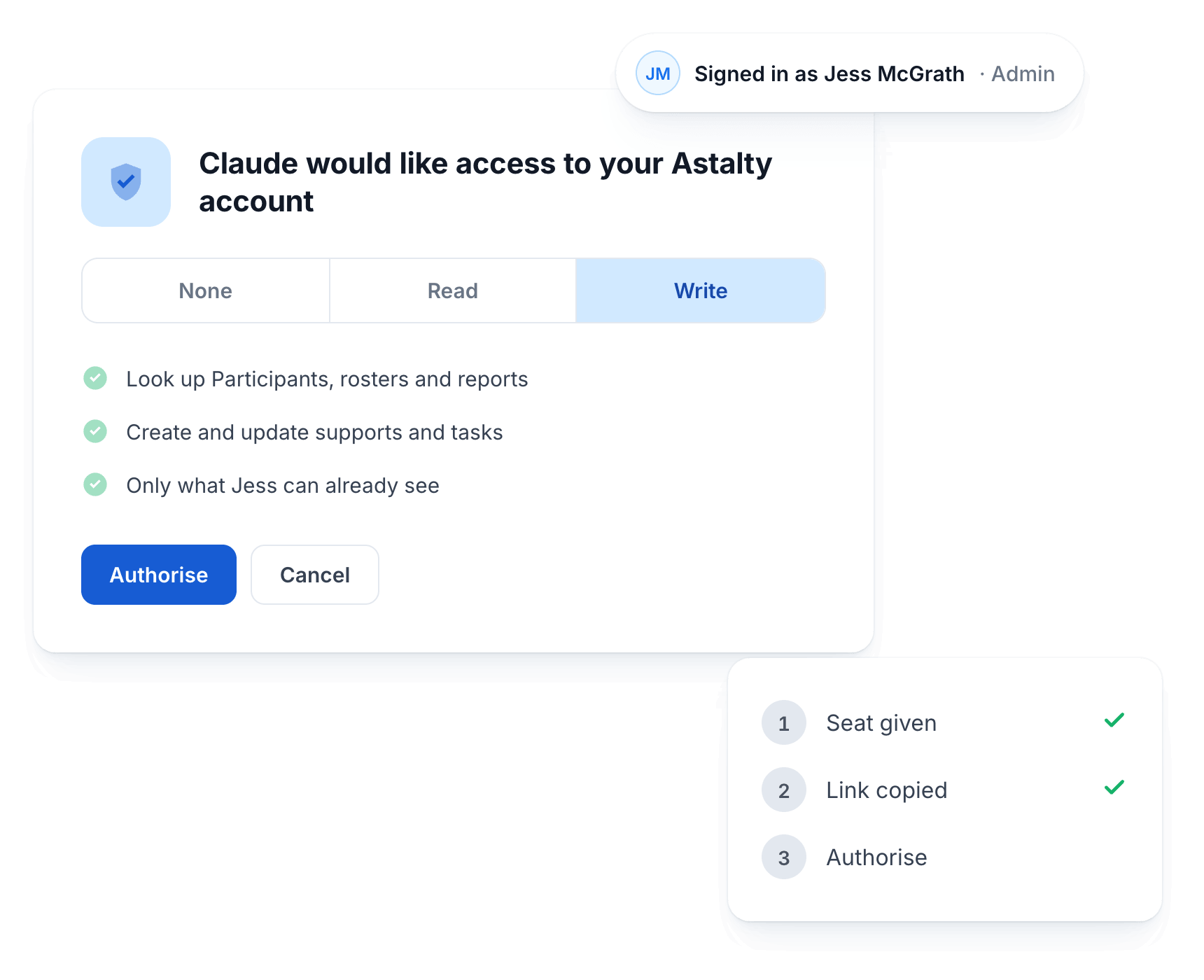
Give Access
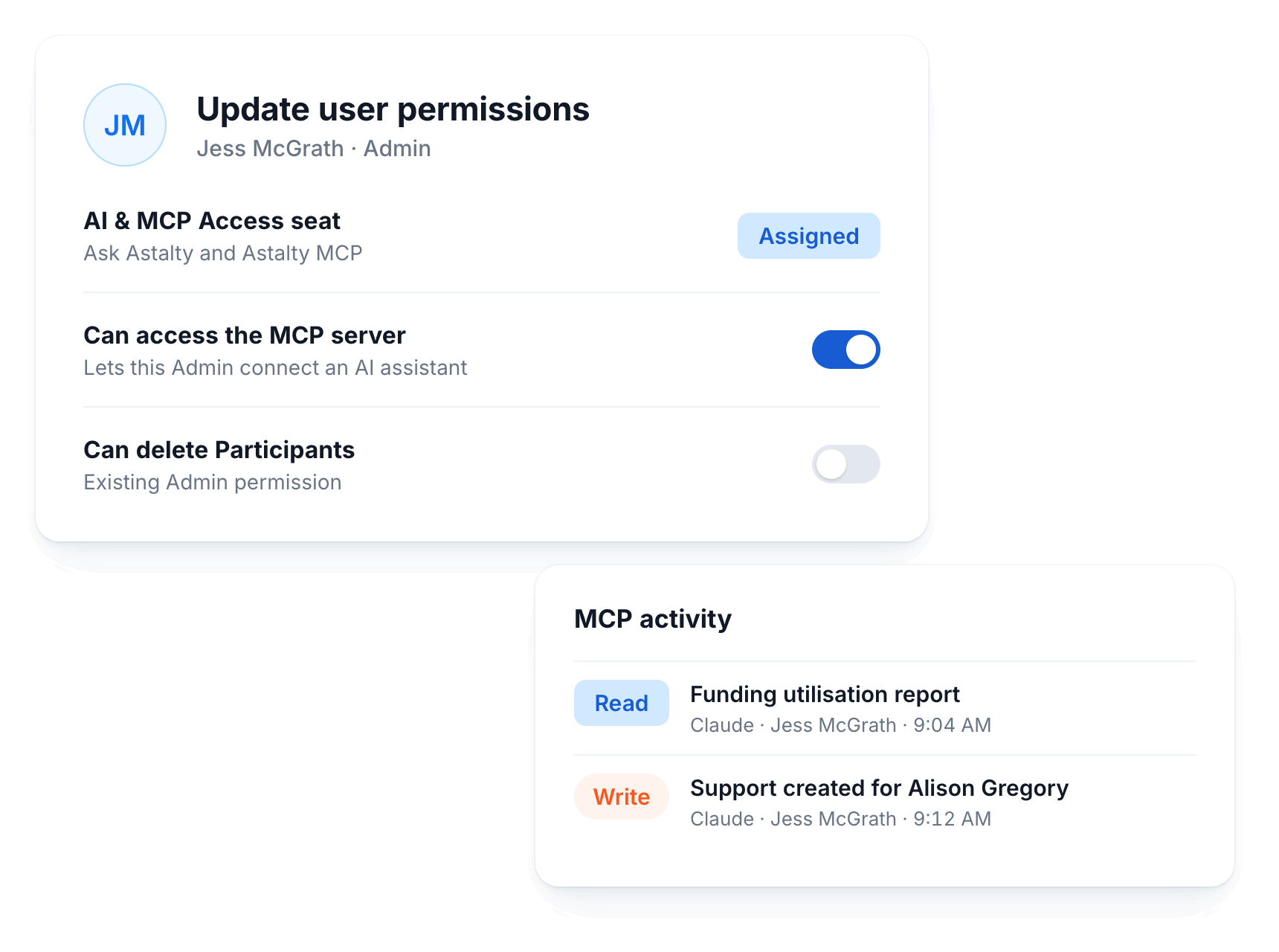
Give the person an AI & MCP Access seat, then the Account Owner turns on MCP access for them. Only Admins can be given MCP access.
Copy Your Link
Select your name, then Connect your AI. Copy the link and add Astalty as a custom connector in your AI tool.
Sign In and Choose Access
Sign in to Astalty when your AI tool asks, choose Read or Write, then authorise.
You Decide Who Connects, and What They Can Touch
Connecting an AI tool to Participant records is a big decision. Here's exactly how the connection behaves.
Admins Only
MCP access is a separate permission that only the Account Owner can turn on.
Read, or Read and Write
Read can look things up and can't change anything. Write can also create and update records.
Off in One Click
Turn off MCP access or remove the seat and the connected assistant stops working straight away.
Your AI Plan Sets the Data Terms
A connected assistant receives the Astalty data it needs. How it is stored depends on your AI tool and plan.
One Seat Covers Both
AI & MCP Access includes Ask Astalty inside the app and Astalty MCP outside it.
Per Seat
Only pay for the people you give a seat to.
Usage Limits You Set
Each seat includes monthly AI credits, and extra usage runs on limits you set.
Ask Astalty Included
The same seat gives that person the AI built into Astalty.
Bring Your Own AI
You will also need your own account with the AI tool you connect.
AI & MCP Access
$30per user
per month
Plus usage, with limits you set.
- Ask Astalty inside the app
- Astalty MCP for your own AI tools
- Monthly AI credits on every seat
Complete Solution
Works With Your Whole Workflow
Astalty MCP is just one part. See how it connects with the rest of your operations.

Ask Astalty
The AI built into Astalty. Ask a question in plain English, right where your records are.

Scheduling & Rostering
Build compliant rosters and manage every support, shift and worker in one place.

Reports & Analytics
The reports your AI assistant reads from, ready to open, filter and export.
Don't just take our word for it
See the Astalty Difference
4.9 out of 5.0
Trusted by 2,000+ NDIS businesses
"Onboarding with Astalty was easy, probably the easiest I've ever experienced, and I've experienced a few."
"Invoicing quite literally takes 30 minutes. With the old software, I was trying to fit a round peg into a square hole. With Astalty, that just isn't the case."
"Incredible, what can I say? Where do I start? This platform has completely changed the way we run. Astalty has streamlined everything."

Natalie Tobin
"Astalty is incredibly easy to use and probably the best platform for Support Coordinators as everything is built around tasks."

Andrew McCully
Questions
Frequently Asked Questions
Still have questions? Chat with our team.
Ready to Transform Your NDIS Business?
Join 2,000+ providers who've automated their operations and improved participant outcomes.
Setup in 2-3 weeks
90-day money-back guarantee
Free training
No lock-in contracts