
1,400+ NDIS businesses have saved hundreds of hours each week with Astalty.







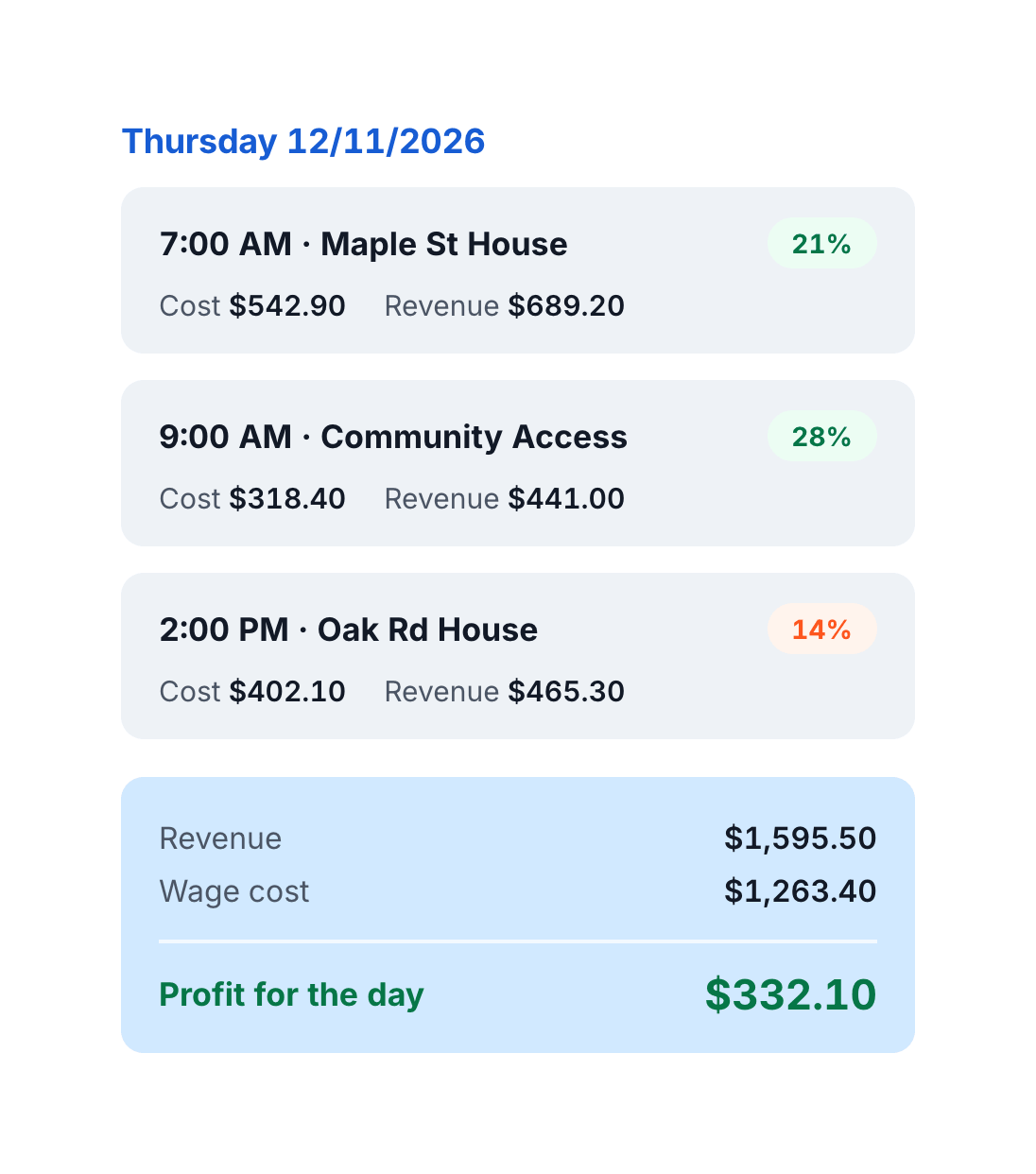
See the profit in every shift
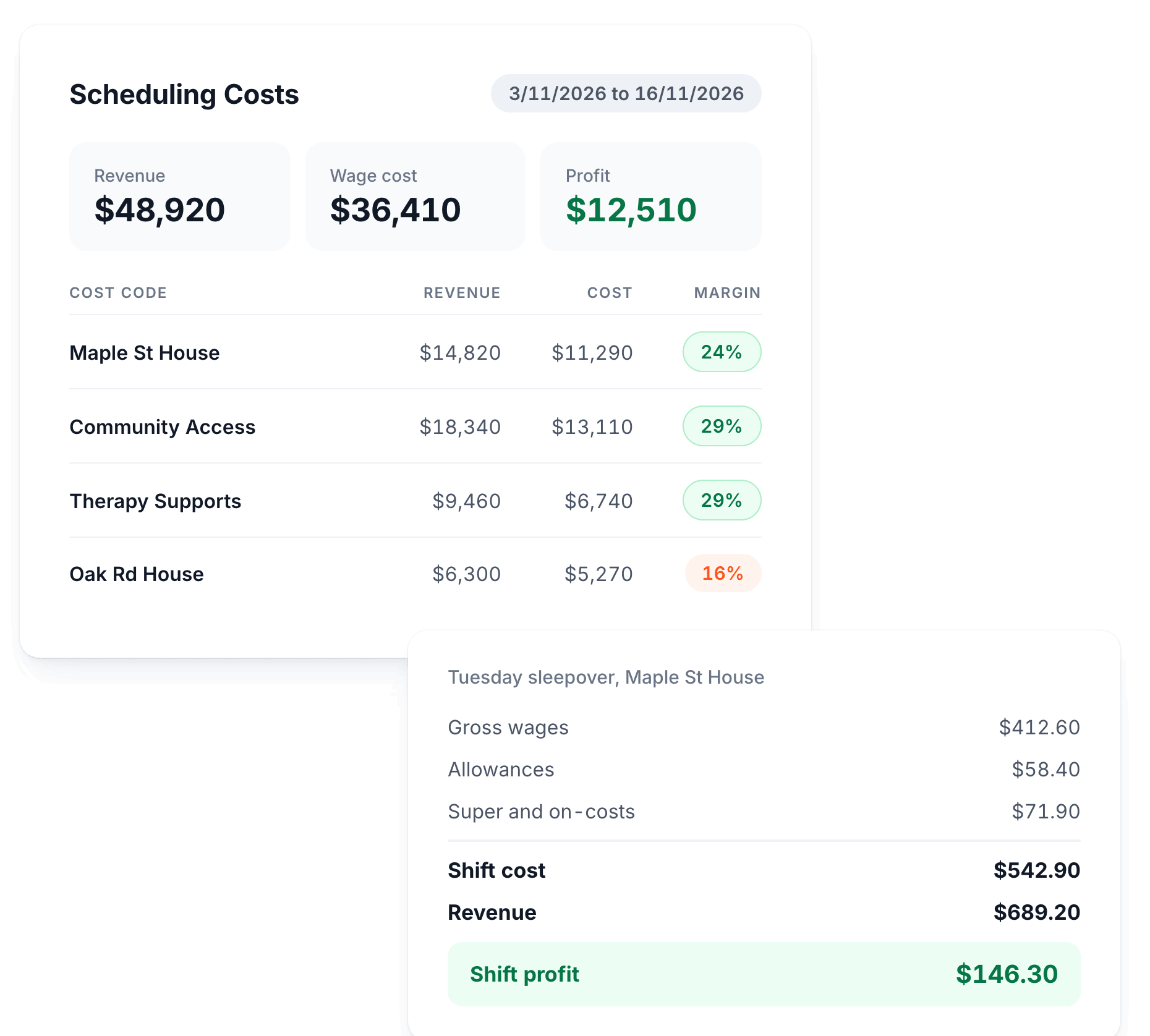
Most providers only find out a roster lost money once payroll and invoicing are done, when it is too late to change anything. Scheduling Costs puts gross wages, allowances, super and on-costs next to your revenue while you are still building the roster.
Let's show you how
Real Wage Costs, Worked Out for You
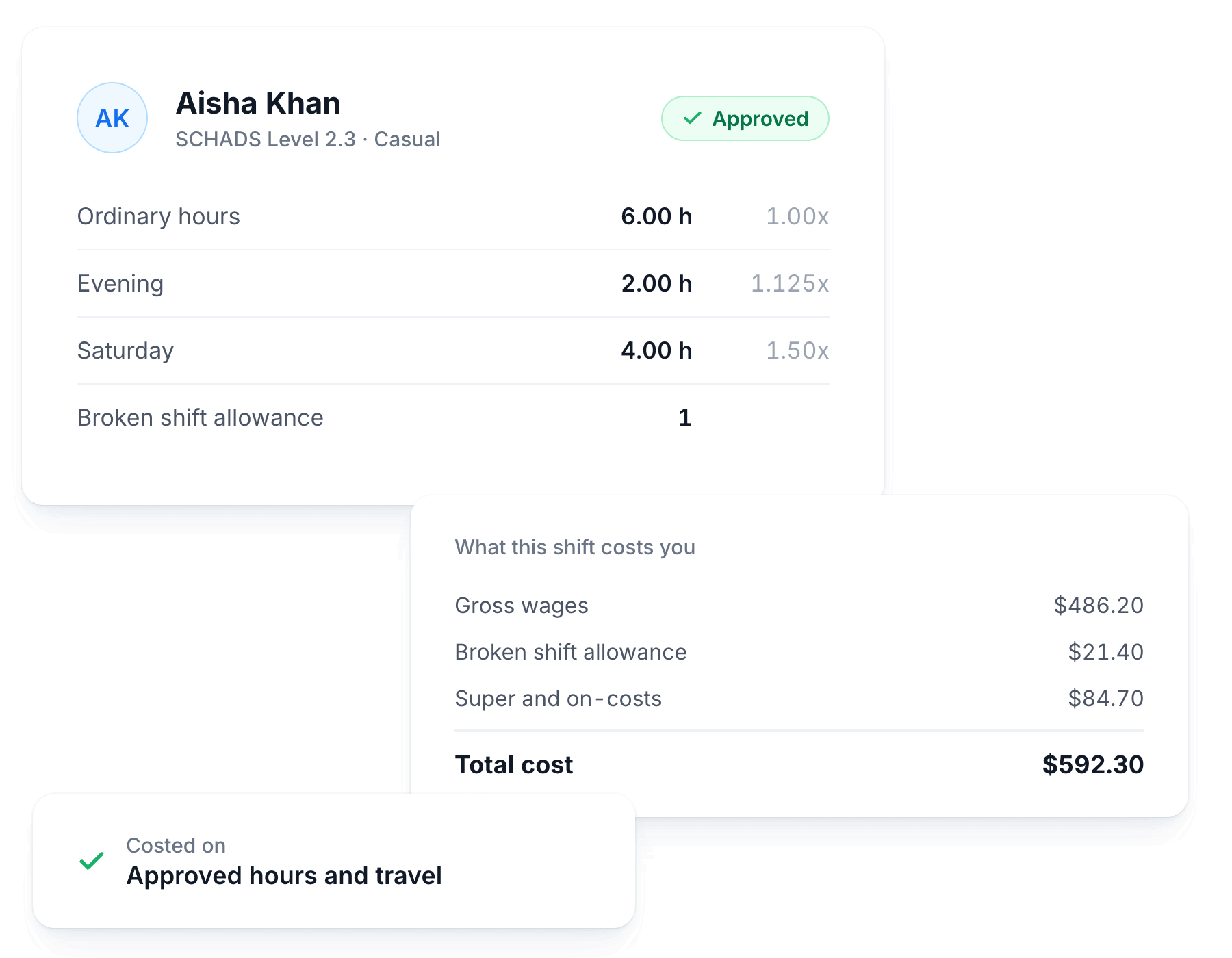
Astalty applies the award to your roster, so the cost you see reflects what your staff will actually be paid, not just base hourly rates.
Gross Wages and Allowances
Calculated from SCHADS award rates for every rostered shift.
Super and On-Costs Included
The total covers super and on-costs, so you see what a shift really costs you.
Exact Multipliers and Hours
Every staff row shows the multipliers and hours behind it, so you can check any figure by hand.
Costed on Approved Figures
Once a shift is approved, the cost uses the approved kilometres, hours and travel time.
Revenue and Profit Side by Side
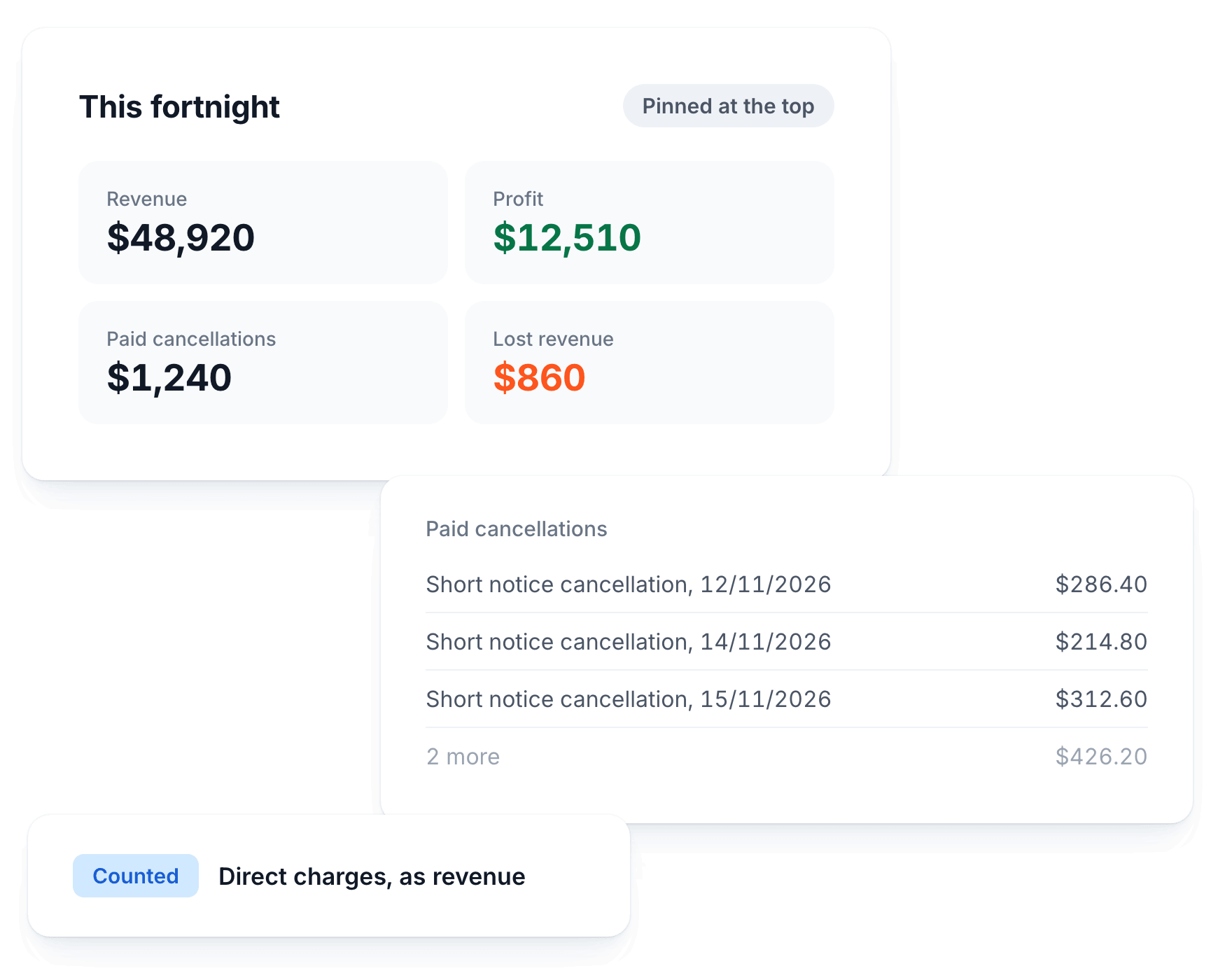
See revenue, cost and profit together for any period, with the key numbers pinned at the top.
Direct Charges Counted
Direct charges count towards revenue, so providers who bill that way see a true picture instead of a false loss.
Paid Cancellations Broken Down
See exactly which cancelled services make up your paid cancellation figure.
Lost Revenue and Net Loss
Spot where money is leaking out of your schedule before it happens again.
Key Numbers Always in the Same Spot
The summary is organised into clear sections, with your headline figures pinned at the top.
Break It Down Your Way
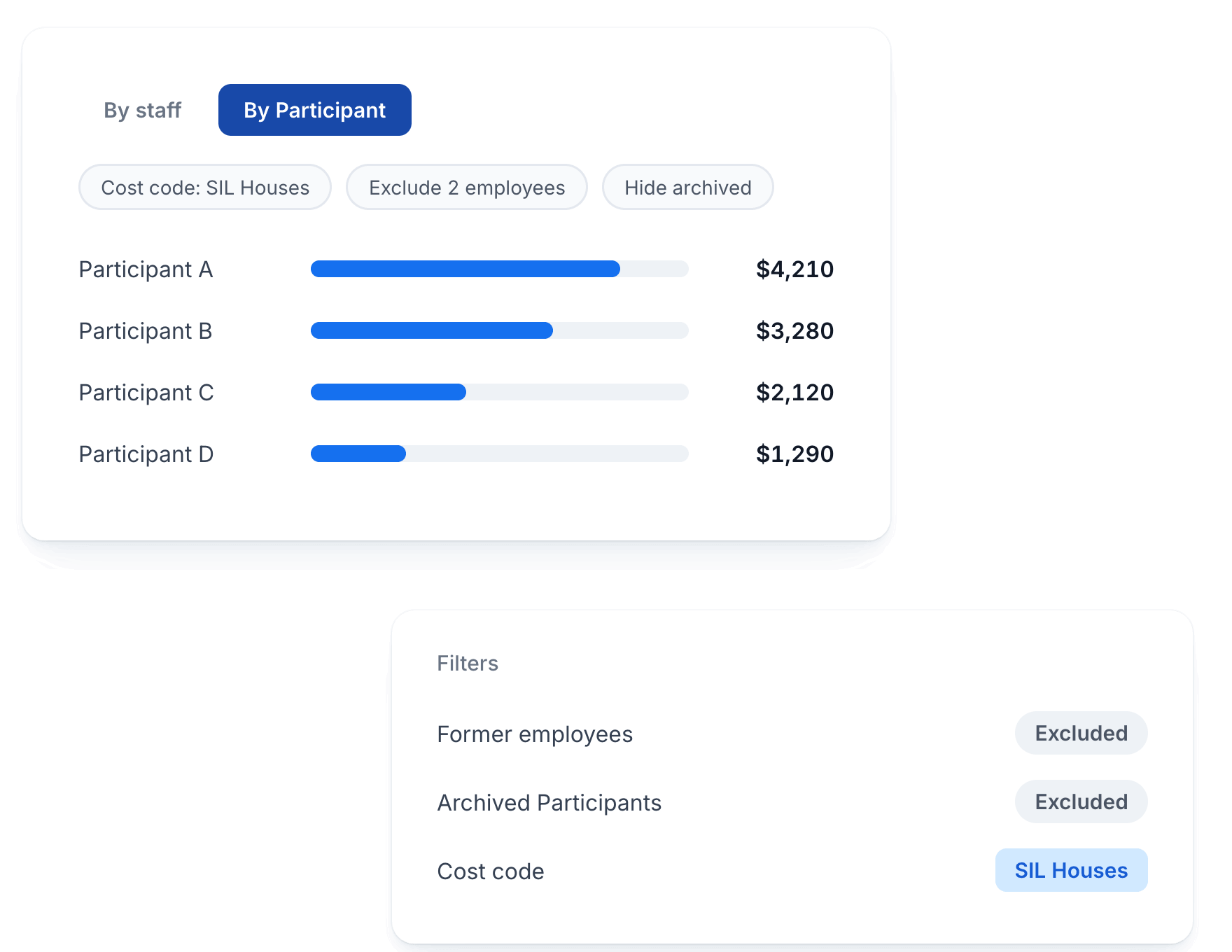
Look at your costs by staff member or by Participant, and filter out anything the report is not meant to measure.
By Staff or By Participant
Switch views to see which workers or Participants drive your costs and your margin.
Filter by Cost Code
Tag shifts with a cost code and narrow the report to a program, house or department.
Exclude Employees
Leave out staff whose work the report was never meant to measure, without deactivating them.
Archived and Deactivated Filters
Choose whether former employees and archived Participants count towards the figures.
Switch It On in Minutes
Scheduling Costs is built into Astalty's scheduling, so there is nothing extra to connect or sync.
Self-Serve Setup
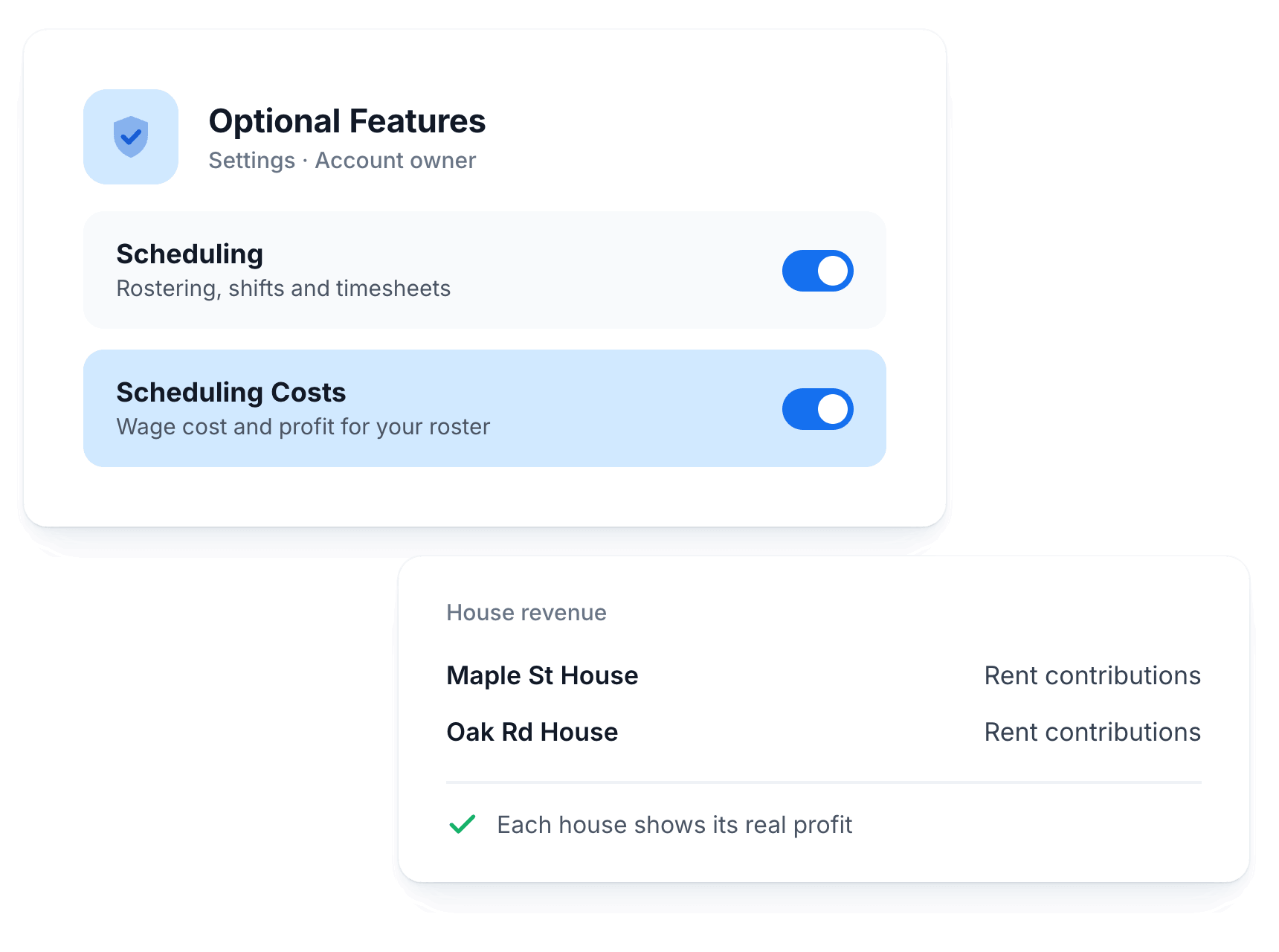
Account owners turn it on from Optional Features in Settings, or from the Scheduling menu.
Uses the Roster You Already Have
It costs the shifts already in Astalty, so there is no second system to keep in step.
Revenue for SIL Houses
Add house revenue, like rent contributions, so each house shows its real profit.
Step-by-Step Guide
Our user guide and video walkthrough show your team how to read every number.
Complete Solution
Works With Your Whole Workflow
Scheduling Costs is just one part. See how it connects with the rest of your operations.

Scheduling & Rostering
Build rosters, match workers to Participants and fill shifts with award alerts as you go.

SCHADS Award Alerts
Get warned about overtime, broken shifts and allowances before you publish the roster.

Reports & Analytics
Utilisation, billable hours, capacity and compliance reports that pull live data.
Don't just take our word for it
See What Other Business Owners Are Saying

4.9 out of 5.0
Trusted by 1,400+ NDIS businesses

"Astalty seamlessly connects invoicing & rostering, eliminating billing mismatches and protecting our cash flow."

Matthew Saxen
Hearts in Action
"Incredible, what can I say? Where do I start? This platform has completely changed the way we run. Astalty has streamlined everything."

Natalie Tobin
"Astalty is incredibly easy to use and probably the best platform for Support Coordinators as everything is built around tasks."

Andrew McCully
"We run a care company. I don't expect my staff to be brilliant at using tech. Astalty mitigated that issue. It was very easy to use and extremely easy for the team and rostering!"

Joshua
Weya support services
"Brandyn shares how Astalty rescued Hype Disability Support Services from admin overload."

Brandyn Bourke
Hype Disability Support Services
"A fabulous, no nonsense, easy to use CRM for all of our Support Coordination and recovery coaching needs."

Yvonne A
"This system is amazing - it is a great price, the developers are open and willing to chat and provide help, and it was so easy to set up and learn."

Elizabeth Hickey
"Tamara Hayes sits down to discuss Positive Empowerments experience using Astalty."

Tamara Hayes
Positive Empowerments

Questions
Frequently Asked Questions
Still have questions? Chat with our team.
Ready to Transform Your NDIS Business?
Join 1,400+ providers who've automated their operations and improved participant outcomes.
Setup in 2-3 weeks
90-day money-back guarantee
Free training
No lock-in contracts