








Award issues shouldn't surface at payroll.
Most award problems aren't discovered when a shift is rostered. They surface when the pay run is processed, after the hours have been worked and the overtime has already been incurred. Astalty moves the check to the moment a Support Worker is assigned, and because the checks run against the whole roster, you can forecast breaches days or weeks before they form.
We have the solution
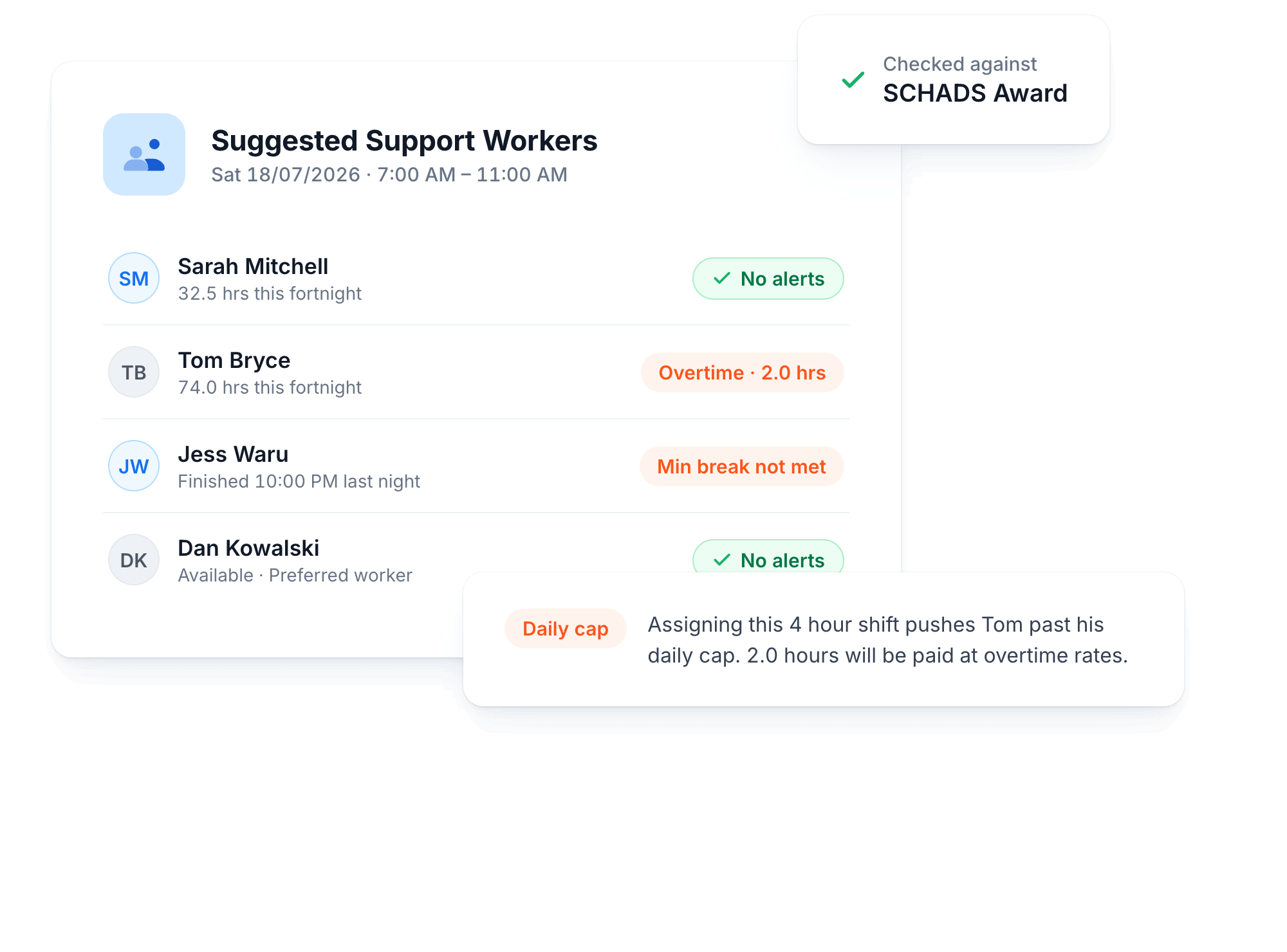
Overtime, Visible Before It Happens
Shifts that would tip a Support Worker into overtime are flagged with the exact hours affected.
Daily Cap Checks
See when a shift pushes a worker past their daily cap before you assign it.
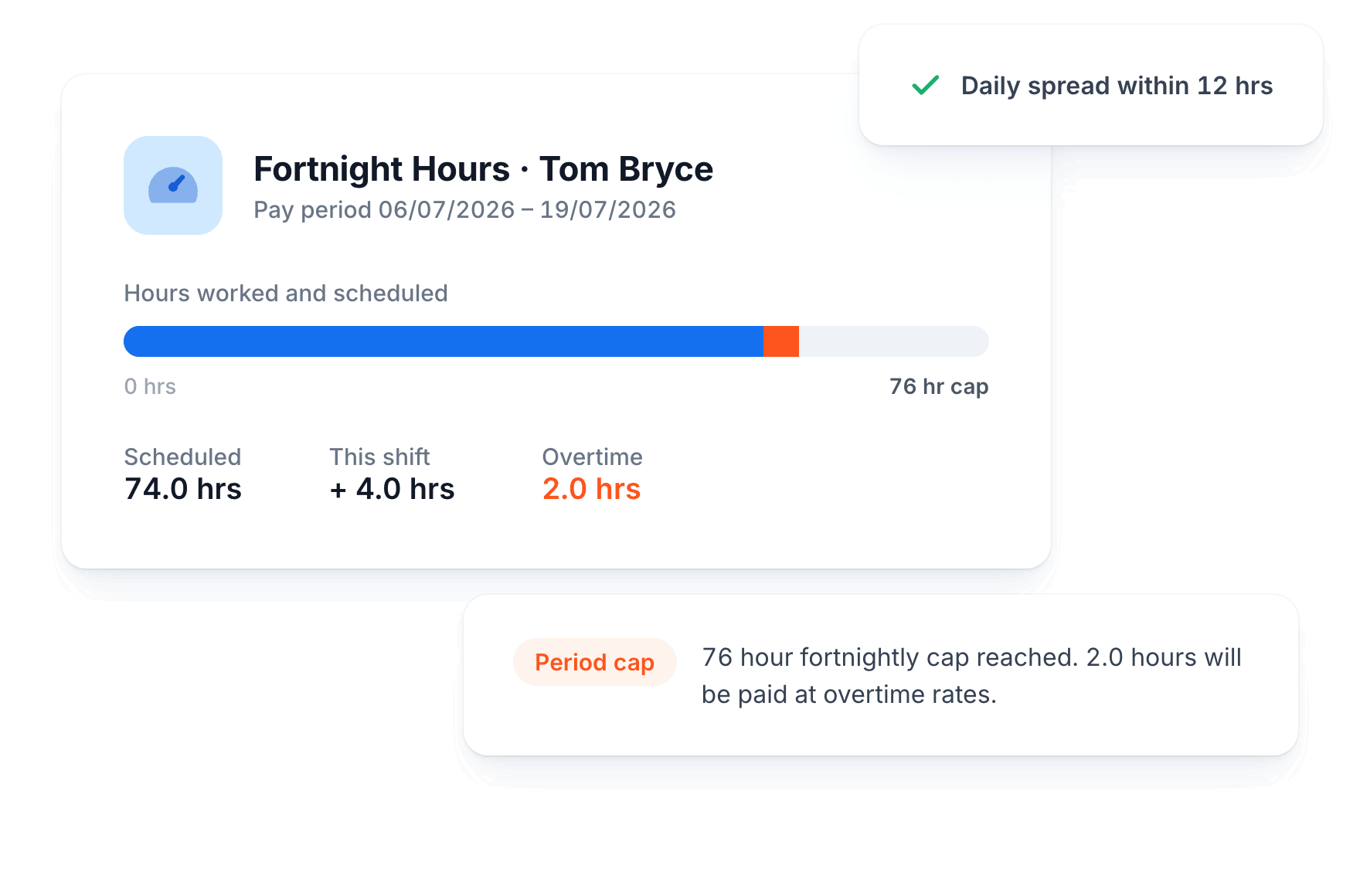
Weekly and Fortnightly Caps
The 38 hour weekly and 76 hour fortnightly caps are tracked across the whole roster.
Rostered Ordinary Hours
Part-time workers are checked against their agreed rostered hours, not just the Award maximums.
12 Hour Daily Spread
Shifts that stretch a worker past a 12 hour daily spread are flagged as you roster.
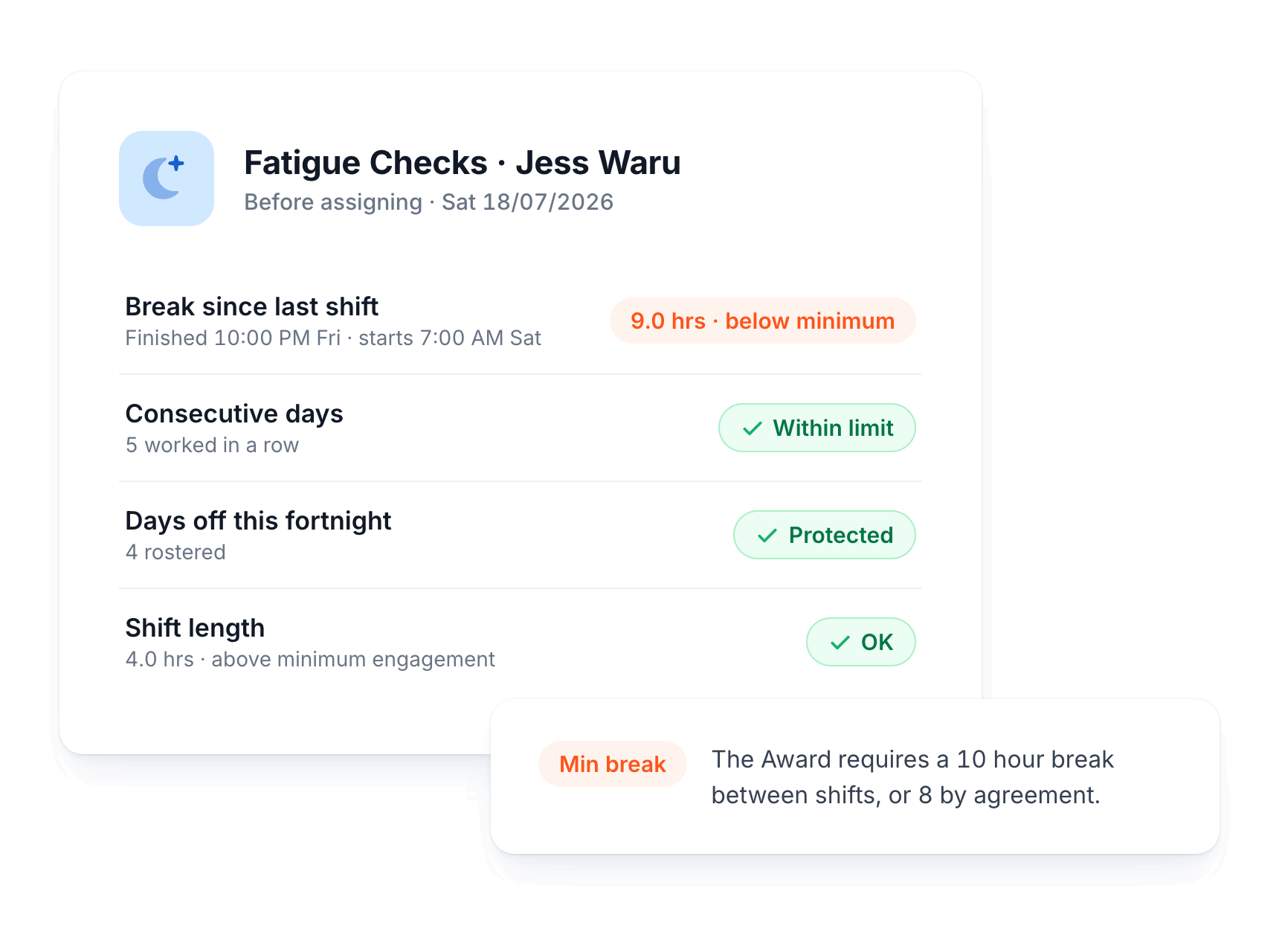
Rest Breaks and Days Off, Protected
Fatigue and shift length rules are checked automatically, so your team gets the rest the Award requires.
Minimum Breaks Between Shifts
Alerts when a shift would leave less than the required 10 hour break, or 8 by agreement.
Consecutive Days Watched
Warns when assigning a shift would exceed the recommended number of consecutive working days.
Days Off Protected
Flags assignments that would reduce a worker's required days off within the rostering period.
Shift Length, Checked Both Ways
Catches shifts over the maximum length and under the minimum engagement period.
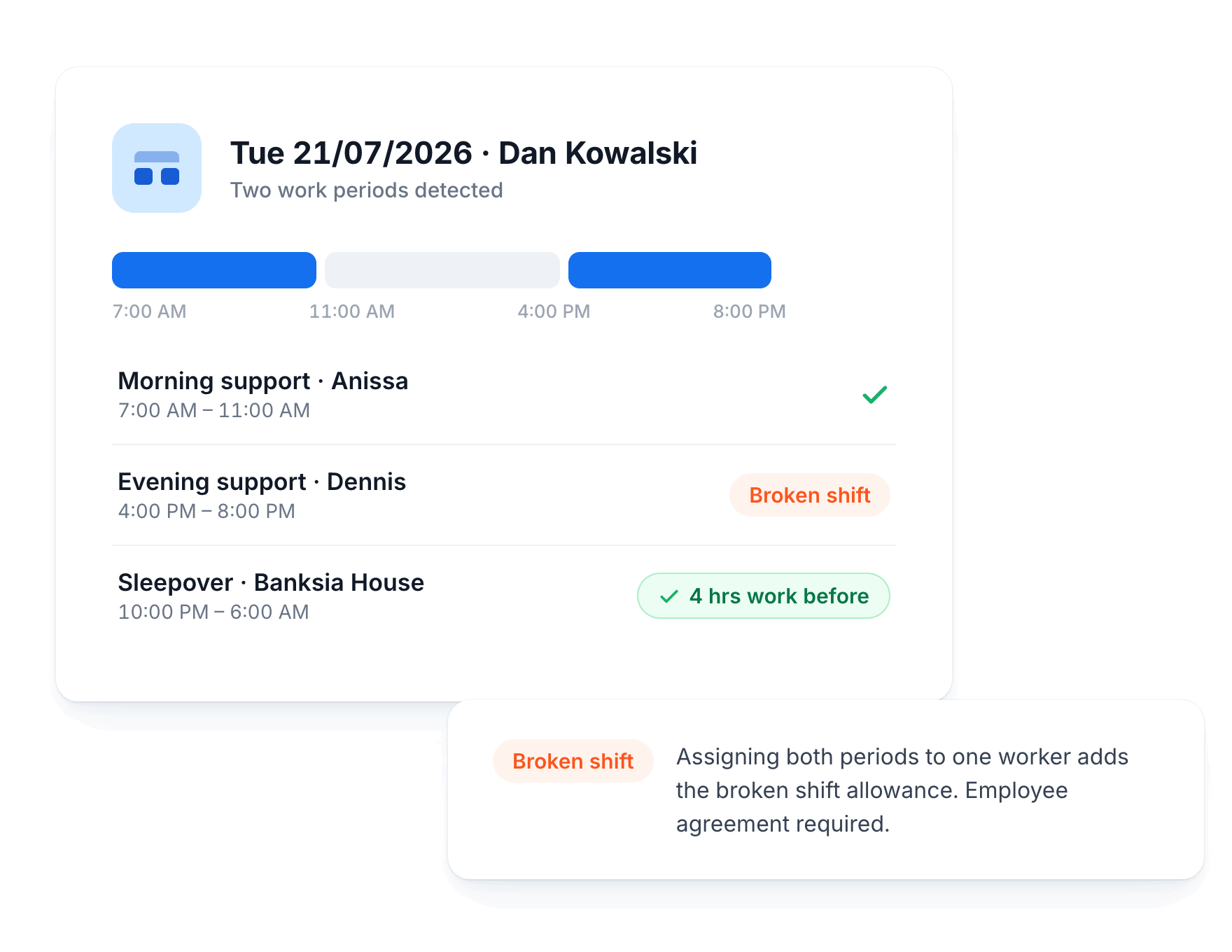
Broken Shifts and Sleepovers, Detected
The trickiest parts of the Award are detected as they form, not discovered after the fact.
Broken Shifts as They Form
Detects when assigning a shift creates two or three work periods in a day.
Agreement Flags
Flags where an employee agreement is required before a broken shift can be rostered.
Double Time Warnings
Warns when a daily spread beyond 12 hours would attract double time rates.
Sleepover Rules Applied
Flags sleepovers without at least 4 hours of work rostered immediately before or after.
Always Current
Updated for the 1 June 2026 Award changes
The SCHADS sleepover rules changed on 1 June 2026, and Astalty applies the correct rules automatically based on each pay period's dates. Nothing to switch on, nothing to configure. Periods before the change use the previous rules, periods after use the new ones.
Your Rules, Your Call
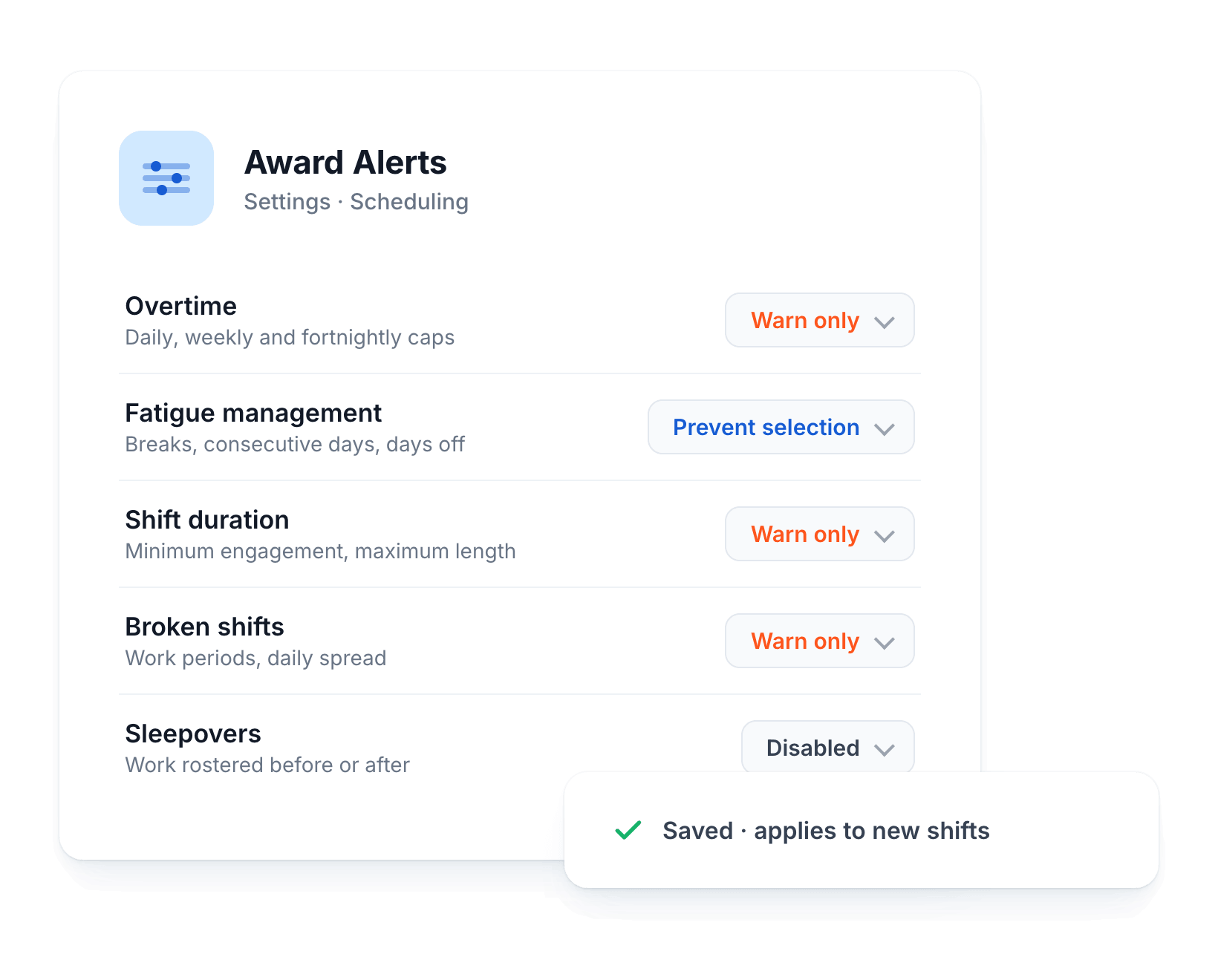
Every alert category can be tuned to match how your team rosters, from gentle warnings to hard stops.
Three Behaviours Per Category
Set each alert category to disabled, warn only, or prevent selection entirely.
Warn Only
See the alert and the hours affected, then assign anyway if the cost is worth it.
Prevent Selection
Block workers from being assigned when it's an alert you never want overridden.
Change Any Time
Adjust the behaviour of every category in your scheduling settings whenever you need.
Powered by the Award Interpreter
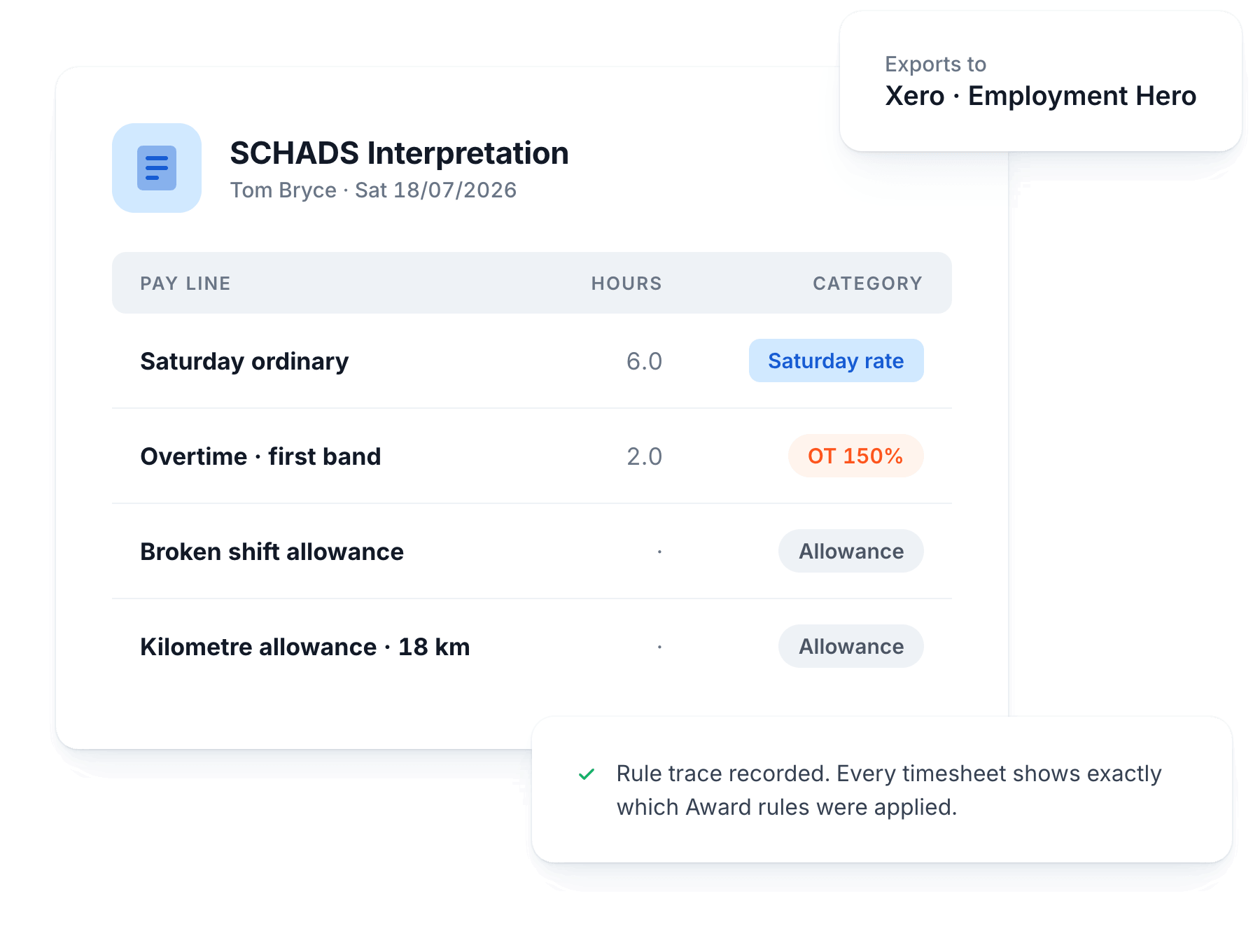
Alerts run on the same SCHADS interpreter that prepares your payroll, so every alert reflects real data.
Every Hour Classified
Weekday, afternoon, night, Saturday, Sunday and public holiday hours are classified automatically.
Allowances Applied
Overtime bands, broken shift, sleepover and kilometre allowances are applied to every timesheet.
On-Screen Rule Trace
Every timesheet batch records exactly which Award rules were applied to each shift.
Indexed Every Year
Allowance dollar values update automatically at the start of each financial year.
Test Scenarios in the SCHADS Playground
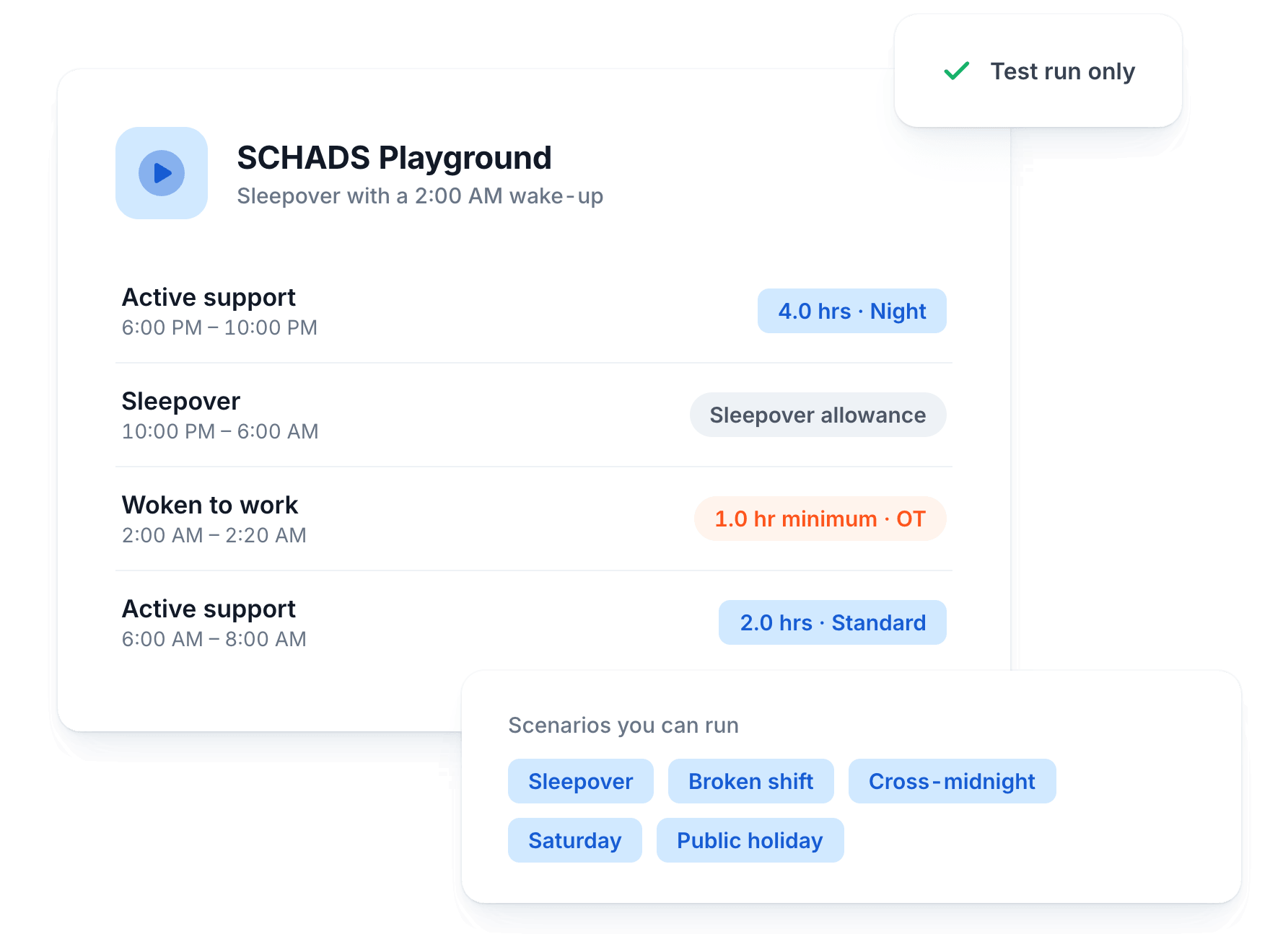
Not sure how a scenario gets paid? Run it in the Playground before it hits a real timesheet.
Run Any Scenario
Weekday, night, weekend, broken shifts, sleepovers and cross-midnight shifts, all testable in seconds.
Test Before You Commit
Try adding a Support Worker to an existing schedule, like a respite stay.
See Every Pay Line
View the full interpretation, including every pay line and allowance it produces.
Sleepover Wake-Ups
See exactly how a 2am wake-up gets paid, with the 1 hour minimum applied.
How It Works
From alert rules to payroll in three steps
Set your rules
Choose how each alert category behaves: disabled, warn only, or prevent selection. Set your pay period type once, or let Astalty detect it from your timesheet history.
Assign with visibility
Alerts appear in the Suggested Support Worker table as you fill shifts, showing the exact hours affected while there's still time to pick someone else.
Payroll that matches
The same interpreter classifies every worked hour for payroll, with exports to Xero, Employment Hero and PayCat, so what you saw at rostering is what gets paid.
Complete Solution
Works With Your Whole Workflow
Award alerts are just one part. See how they connect with the rest of your operations.

Scheduling & Rostering
Drag, drop and slot in the right Support Worker with clear visibility on gaps, clashes and availability before they disrupt your team.
Support Worker App
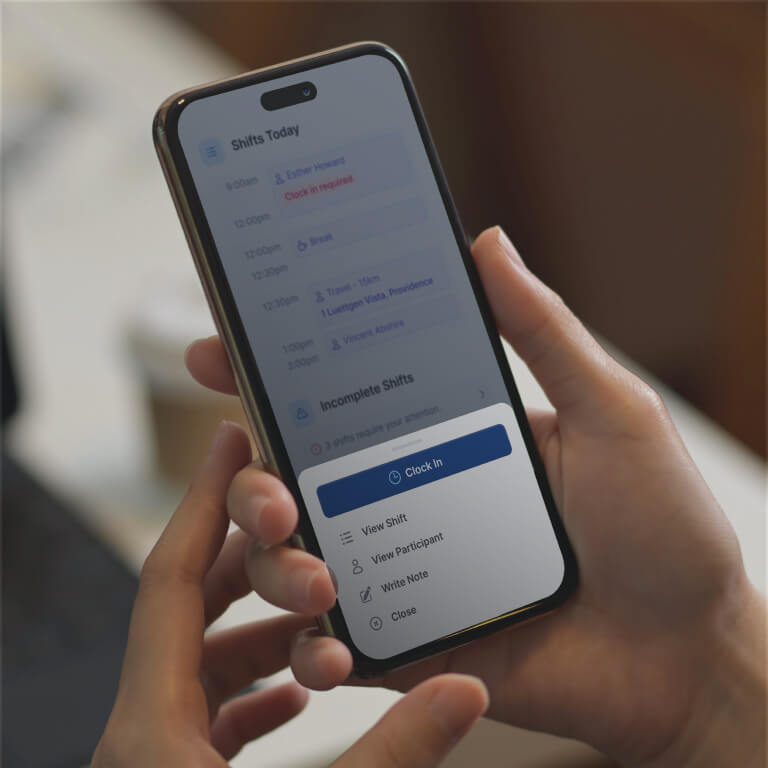
Give your team the tools to stay organised on the go, from clocking in and logging sleep interruptions to receiving instant roster updates.

Multi-Site & Enterprise
Multi-site rostering, state and timezone aware scheduling, and SCHADS interpretation across large teams.
Don't just take our word for it
See What Other Business Owners Are Saying

4.9 out of 5.0
Trusted by 1,400+ NDIS businesses

"Astalty seamlessly connects invoicing & rostering, eliminating billing mismatches and protecting our cash flow."

Matthew Saxen
Hearts in Action
"Incredible, what can I say? Where do I start? This platform has completely changed the way we run. Astalty has streamlined everything."

Natalie Tobin
"Astalty is incredibly easy to use and probably the best platform for Support Coordinators as everything is built around tasks."

Andrew McCully
"We run a care company. I don't expect my staff to be brilliant at using tech. Astalty mitigated that issue. It was very easy to use and extremely easy for the team and rostering!"

Joshua
Weya support services
"Brandyn shares how Astalty rescued Hype Disability Support Services from admin overload."

Brandyn Bourke
Hype Disability Support Services
"A fabulous, no nonsense, easy to use CRM for all of our Support Coordination and recovery coaching needs."

Yvonne A
"This system is amazing - it is a great price, the developers are open and willing to chat and provide help, and it was so easy to set up and learn."

Elizabeth Hickey
"Tamara Hayes sits down to discuss Positive Empowerments experience using Astalty."

Tamara Hayes
Positive Empowerments

Questions
Frequently Asked Questions
Still have questions? Chat with our team.
Ready to Transform Your NDIS Business?
Join 1,400+ providers who've automated their operations and improved participant outcomes.
Setup in 2-3 weeks
90-day money-back guarantee
Free training
No lock-in contracts