








SIL admin shouldn't be this hard.
Rebuilding the same 24/7 roster in a spreadsheet every week, manually working out who gets billed what when ratios don't match funding, sleep interruptions scribbled in a message thread and never billed, and house documents scattered everywhere. Astalty is one system that gets how SIL works, from the first roster template to the last invoice line.
We have the solution
Roster Once, Repeat for Months
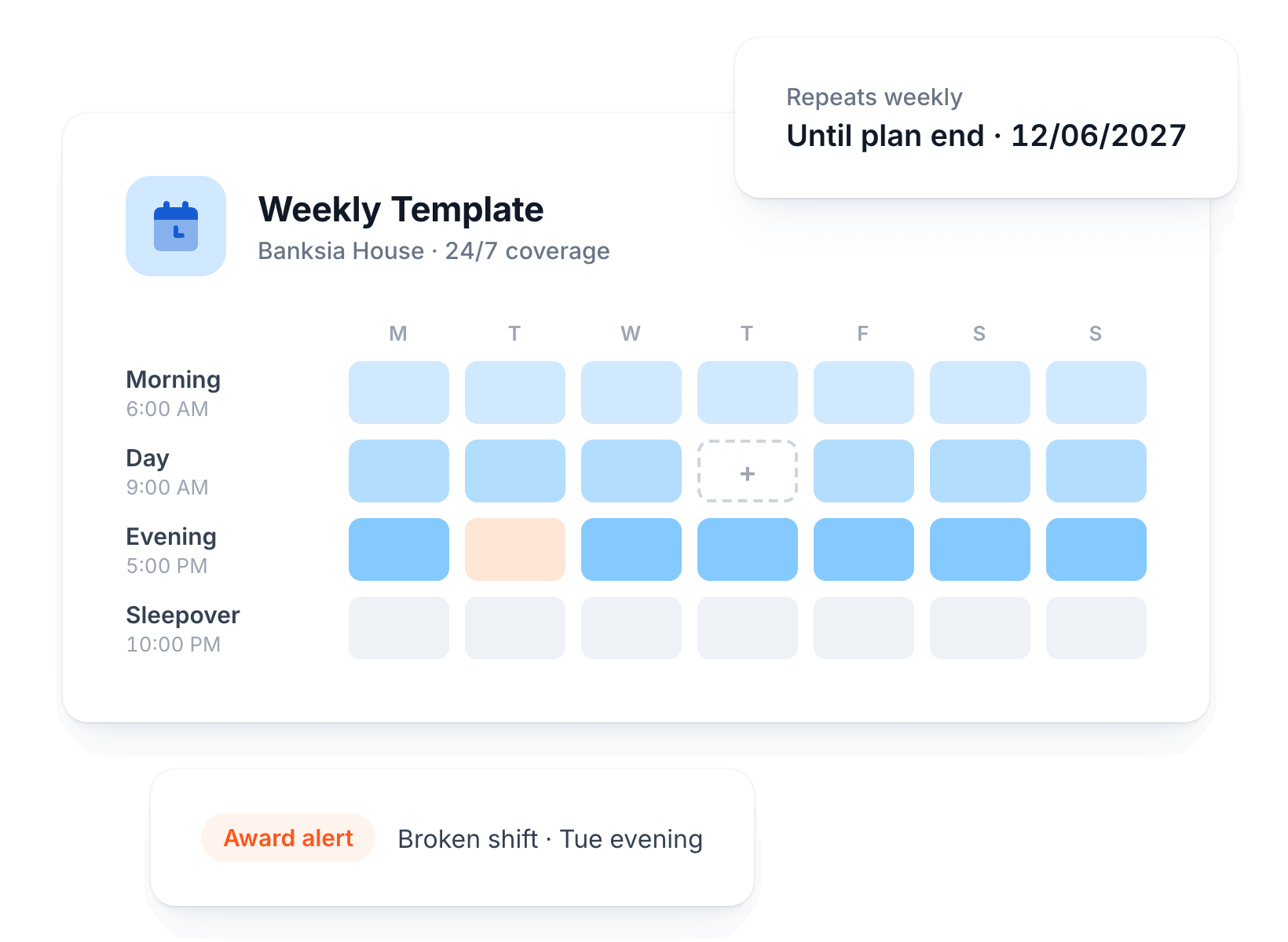
Set up a full 24/7 week of shifts, then let it repeat until the end of the plan.
24/7 Roster Templates
Build mornings, days, evenings and sleepovers into one weekly template for every house.
Repeat Until Plan End
Apply the template for months at a time, scheduled up to a year ahead.
Smart Shift Filling
Fill unassigned shifts from a list showing availability, preferences and clashes before you commit.
Award Alerts While Rostering
Broken shifts, overtime and sleepover issues are flagged as you build, not after payroll.
Ratios Billed Right, Automatically
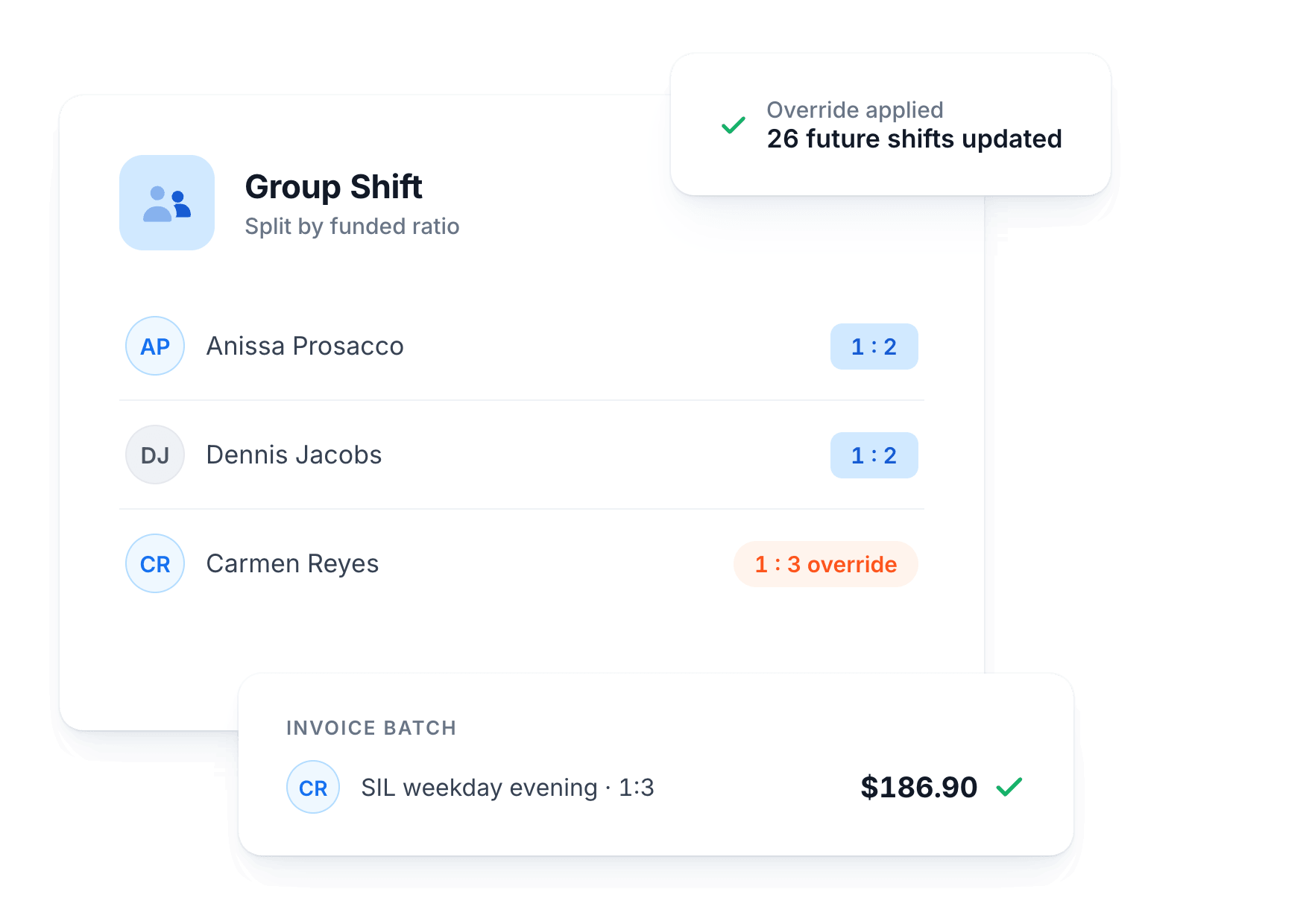
Group shifts split charges across participants at their funded ratio, with no manual calculations.
Automatic Ratio Splits
Each participant in a group shift is charged at their funded ratio automatically.
Per-Participant Overrides
Two people funded 1:2 and one funded 1:3 in the same house? No problem.
Apply to Future Shifts
Set an override once and apply it to every future shift in one step.
Clean Invoice Lines
Charges land in your invoice batch with the correct line item for each participant.
Sleepovers and Active Overnights Sorted
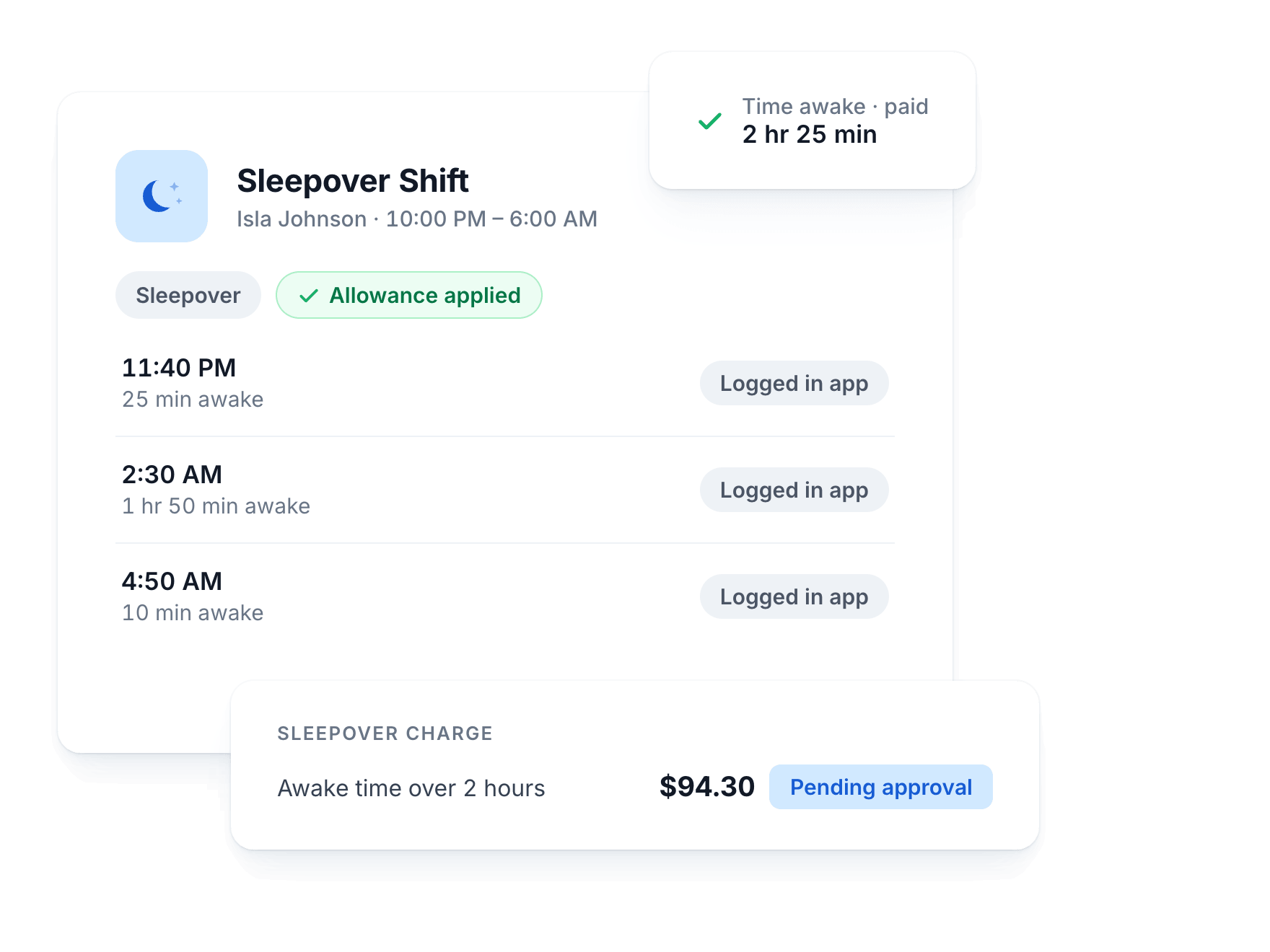
Flag a shift as a sleepover and Astalty handles the pay and billing rules behind it.
Night-Time Sleepovers
Mark any shift as a sleepover and the right allowances apply automatically.
Sleep Interruptions in the App
Workers log interruptions from their phone, with no message threads or paper forms.
Paid for Time Awake
Workers are paid for the time they are awake, however short the interruption.
Billable After Two Hours
Once awake time passes two hours, Astalty creates the billable charge for approval.
Bill Hourly, Weekly, or Both
Real SIL houses are messy. Astalty handles the tidy ones automatically and gives you recurring charges for the rest.
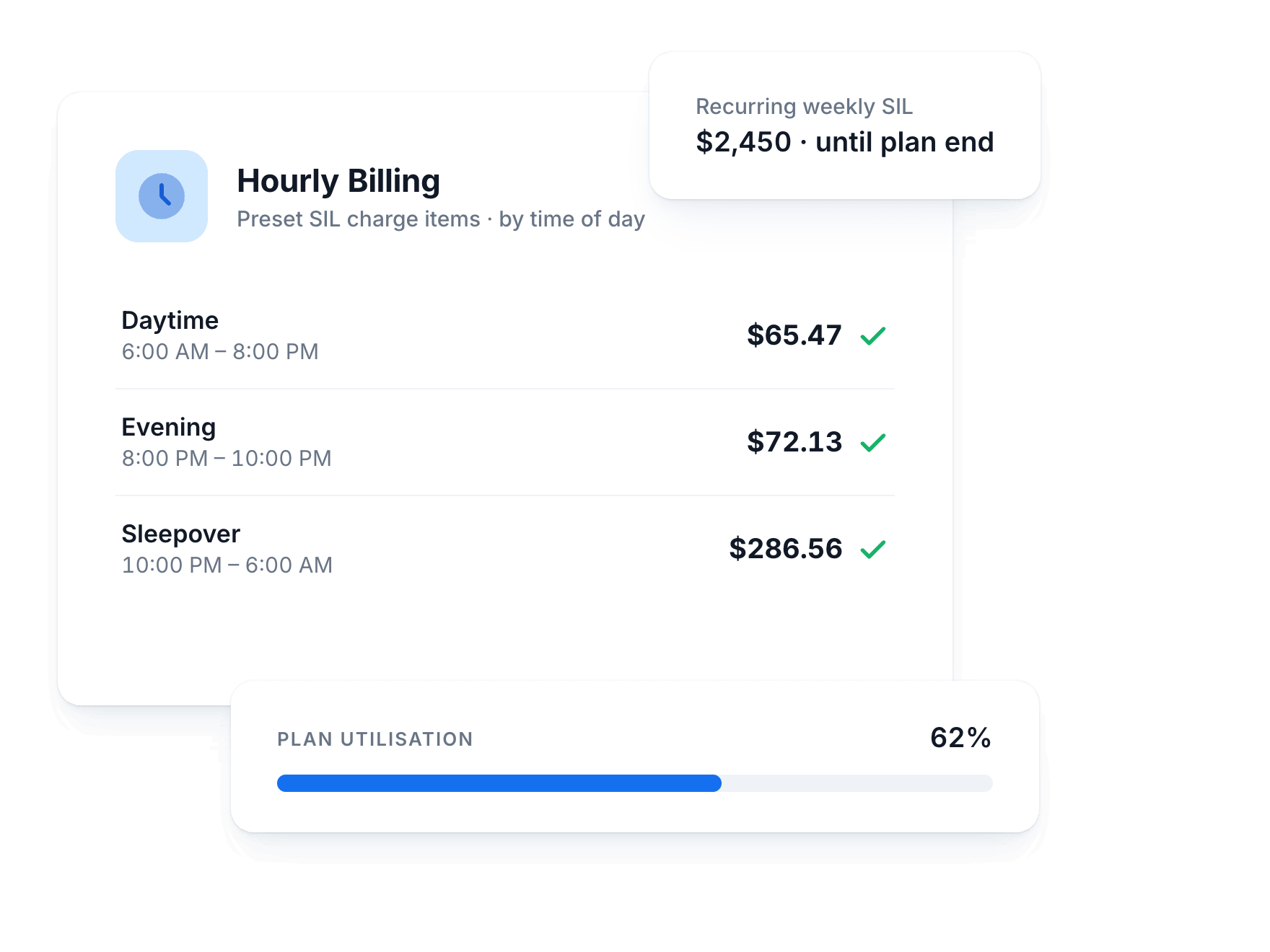
Preset SIL Charge Items
SIL charge item sets, including high-intensity, are ready to go out of the box.
Time-of-Day Billing
Hourly SIL bills automatically across weekday, evening, night and sleepover rates.
Recurring Weekly Charges
Weekly SIL lands in your invoice batch each week and stops at the plan end date.
Plan Utilisation Visible
Every charge draws down against plan budgets so utilisation stays visible in real time.
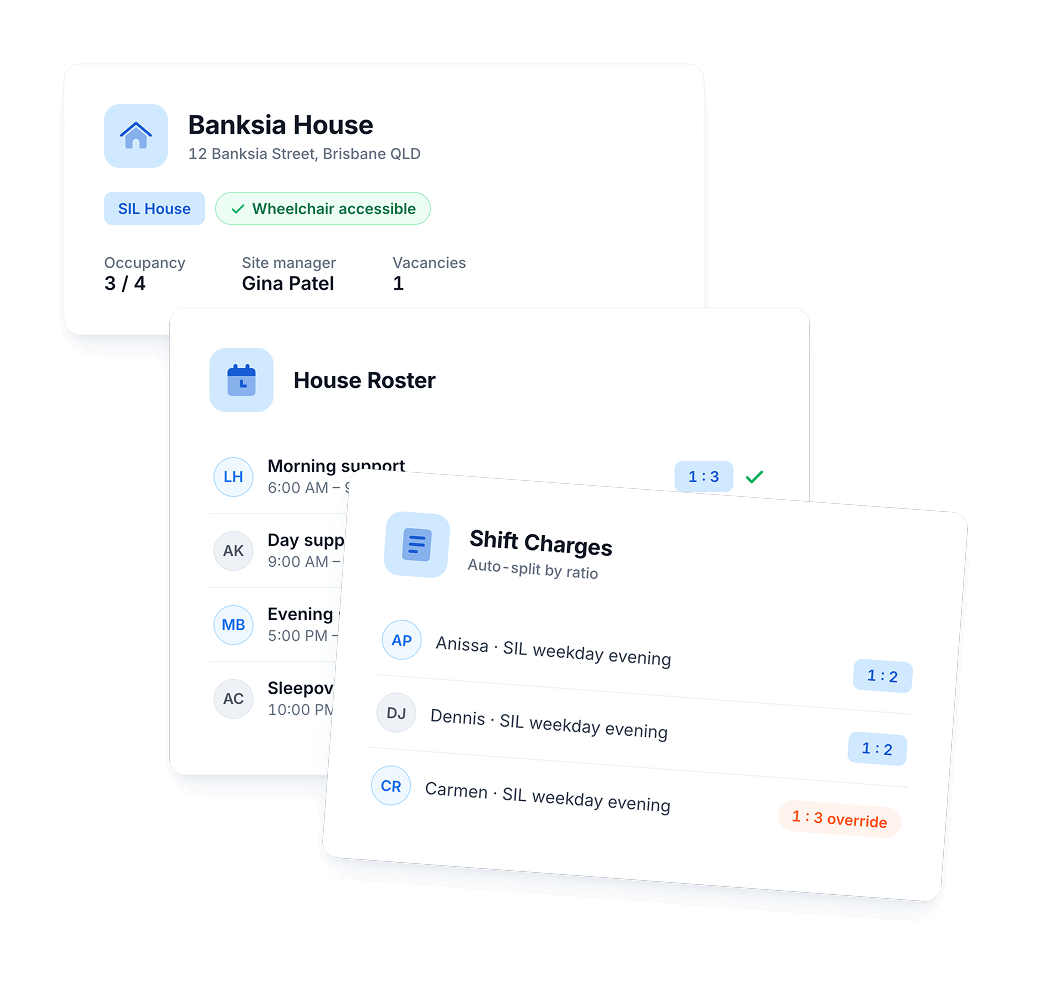
A Profile for Every House
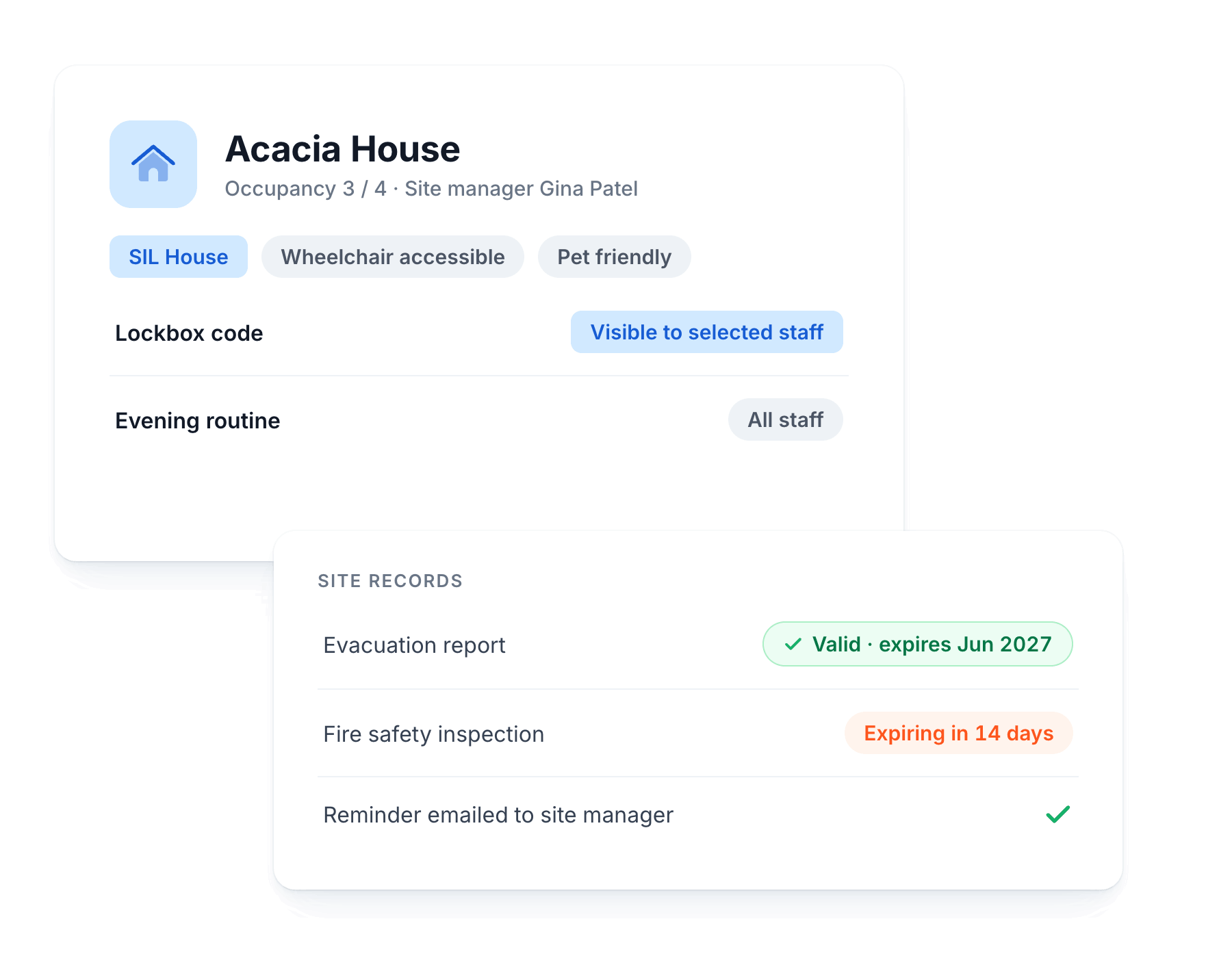
Each SIL property gets its own home in Astalty. Sites is currently in beta, just ask and we'll switch it on for your account.
Capacity and Occupancy
Track capacity, occupancy, site managers and vacancies across every property at a glance.
House Information Items
Lockbox codes, chore charts, routines and contacts, visible only to the staff you allow.
Compliance Records
Evacuation reports and safety plans stored with expiry dates and automatic email reminders.
Tag and Filter Houses
Filter properties by zone, accessibility, pet-friendly and any other tags you create.
Workers Walk In Already Briefed
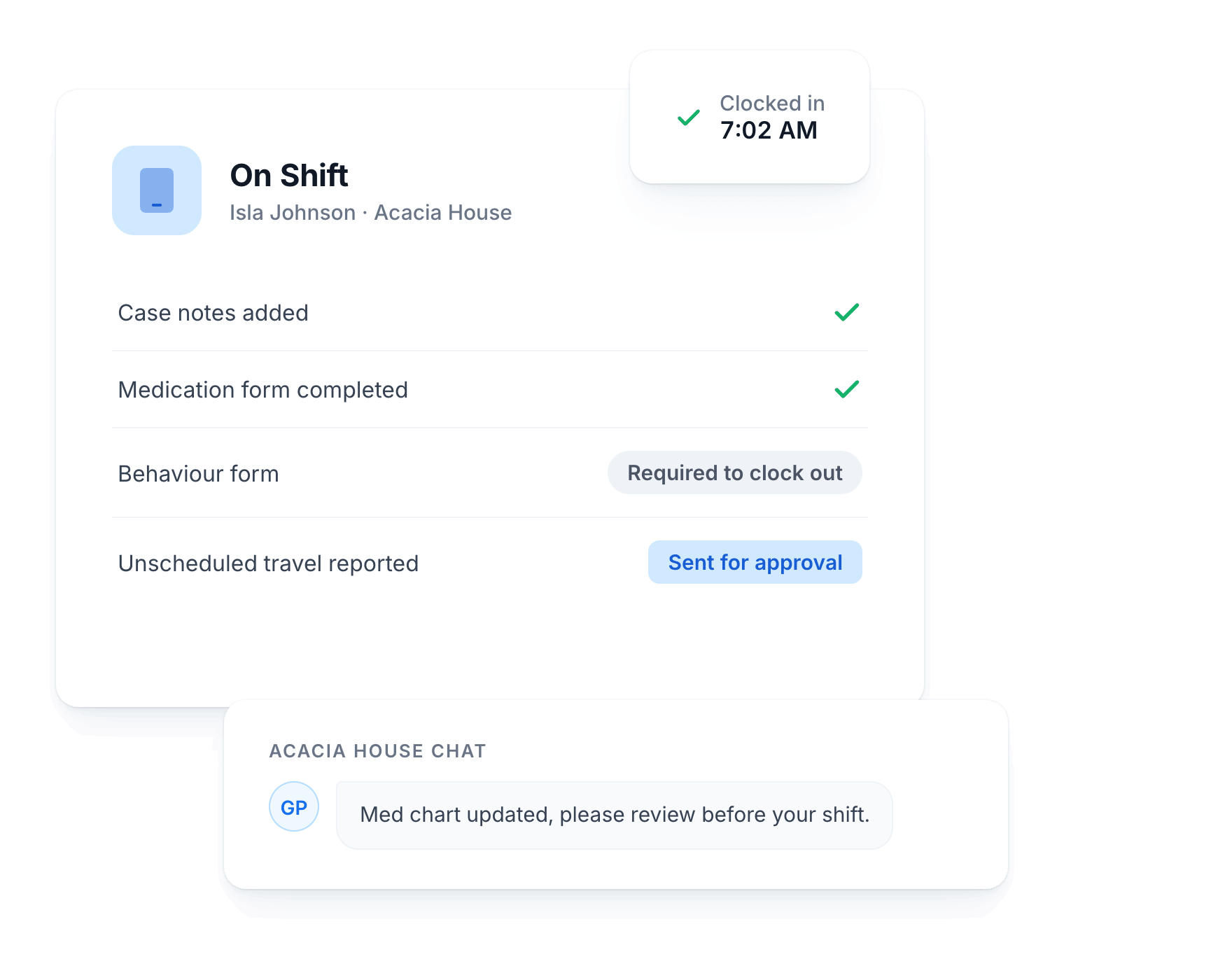
On a SIL shift, workers see the house information, their tasks and the participant's history in the app.
Clock In and Out
Case notes are required before clock-out, so shift records are complete every time.
Forms Enforced on Shift
Medication and behaviour forms must be completed before workers can leave the shift.
Report From the Shift
Sleep interruptions and unscheduled travel are reported in the app and sent for approval.
Group Chats Per House
A chat for each house keeps the whole team on the same page.
How It Works
From house setup to invoiced supports in three steps
Set up the house
Create a site profile with participants, house information and compliance records, then set each participant's funded ratio and charge items.
Build the roster once
Set up the full 24/7 week, including sleepovers, and repeat it for months. Fill gaps from availability with award alerts flagging issues as you go.
Approve and invoice
Workers clock in and out in the app. You approve timesheets, and charges flow to your invoice batch at the correct ratio for every participant.
Complete Solution
Works With Your Whole Workflow
SIL is just one part. See how it connects with the rest of your operations.
Support Worker App
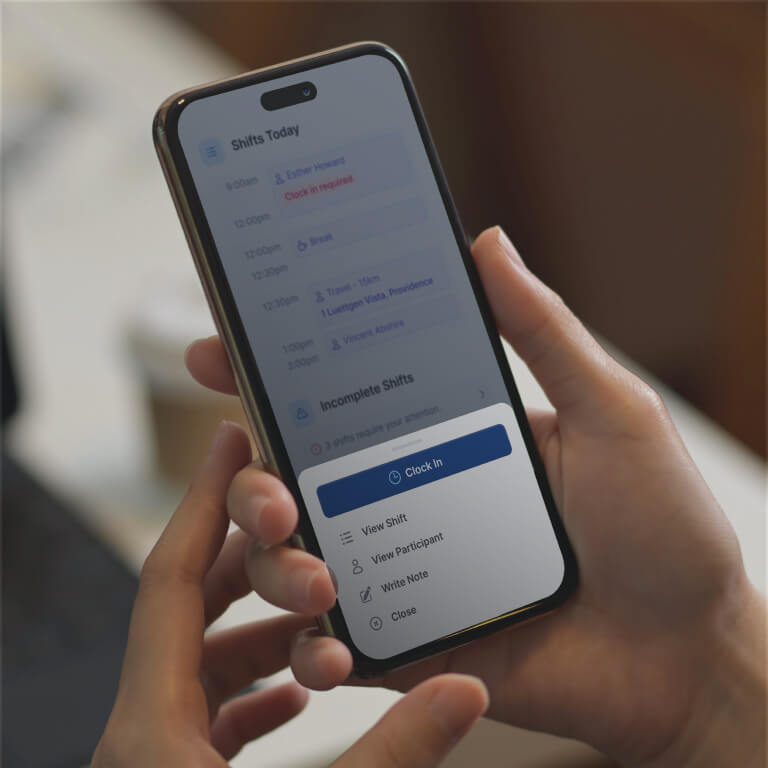
Give your team the tools to stay organised on the go, from clocking in and adding notes to receiving instant roster updates.

Better Direct Supports
Keep one-on-one supports running smoothly with clear schedules, case notes, and goal tracking.

Group Activities
Running community programs too? Manage travel, attendance and apportioned pricing for group supports without the admin chaos.
Don't just take our word for it
See What Other Business Owners Are Saying

4.9 out of 5.0
Trusted by 1,400+ NDIS businesses

"Astalty seamlessly connects invoicing & rostering, eliminating billing mismatches and protecting our cash flow."

Matthew Saxen
Hearts in Action
"Incredible, what can I say? Where do I start? This platform has completely changed the way we run. Astalty has streamlined everything."

Natalie Tobin
"Astalty is incredibly easy to use and probably the best platform for Support Coordinators as everything is built around tasks."

Andrew McCully
"We run a care company. I don't expect my staff to be brilliant at using tech. Astalty mitigated that issue. It was very easy to use and extremely easy for the team and rostering!"

Joshua
Weya support services
"Brandyn shares how Astalty rescued Hype Disability Support Services from admin overload."

Brandyn Bourke
Hype Disability Support Services
"A fabulous, no nonsense, easy to use CRM for all of our Support Coordination and recovery coaching needs."

Yvonne A
"This system is amazing - it is a great price, the developers are open and willing to chat and provide help, and it was so easy to set up and learn."

Elizabeth Hickey
"Tamara Hayes sits down to discuss Positive Empowerments experience using Astalty."

Tamara Hayes
Positive Empowerments

Questions
Frequently Asked Questions
Still have questions? Chat with our team.
Ready to Transform Your NDIS Business?
Join 1,400+ providers who've automated their operations and improved participant outcomes.
Setup in 2-3 weeks
90-day money-back guarantee
Free training
No lock-in contracts